
Frontend Composables
Frontend Composables
TanStack Query (Vue Query) composables for every generated route: queries, mutations with cache invalidation,
bulk, aggregates, M2M, permissions and custom endpoints. They are auto-imported; they can also be imported from
@websideproject/nuxt-auto-api/composables.
Every composable builds URLs under your configured autoApi.prefix (default /api) and encodes each path
segment, so ids with / or ? cannot change the route.
Queries
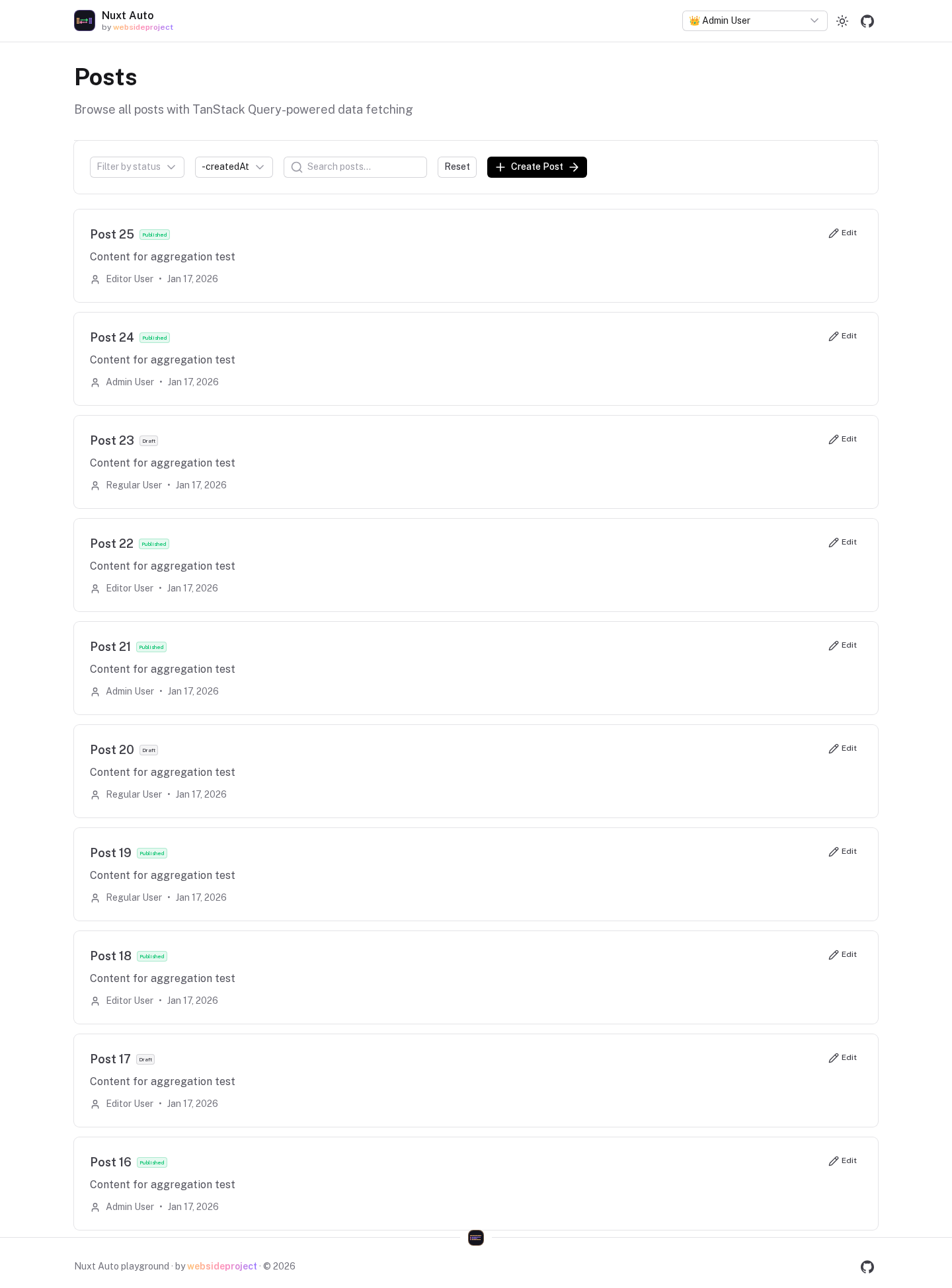
useAutoApiList
function useAutoApiList<T>(
  resource: MaybeRef<string>,
  params?: MaybeRef<ListQueryParams>,
  options?: UseQueryOptions, // TanStack options (enabled, staleTime, select, …)
)

interface ListQueryParams {
  filter?: Record<string, any> // sent as JSON, types preserved
  sort?: string | string[] // '-createdAt', ['status', '-id']
  page?: number
  limit?: number
  cursor?: string
  include?: string | string[]
  fields?: string | string[]
  aggregate?: string // 'count,sum(total)' → meta.aggregates
  includeDeleted?: boolean // needs viewDeleted
  onlyDeleted?: boolean // needs viewDeleted
}
<script setup lang="ts">
const route = useRoute()
const params = computed(() => ({
  filter: { status: route.query.status || 'published' },
  sort: '-createdAt',
  include: 'author',
  page: Number(route.query.page) || 1,
  limit: 10,
}))
const { data, isLoading, error } = useAutoApiList<Post>('posts', params)
</script>

<template>
  <p v-if="isLoading">Loading…</p>
  <p v-else-if="error">{{ error.message }}</p>
  <article v-for="post in data?.data" v-else :key="post.id">{{ post.title }}</article>
  <p v-if="data?.meta.total !== undefined">{{ data.meta.total }} posts</p>
</template>
data is the response: { data: T[], meta: { page?, limit?, total?, nextCursor?, hasMore?, aggregates? } }.
Pass a ref/computed for reactive params; the query refetches when they change.
useAutoApiGet
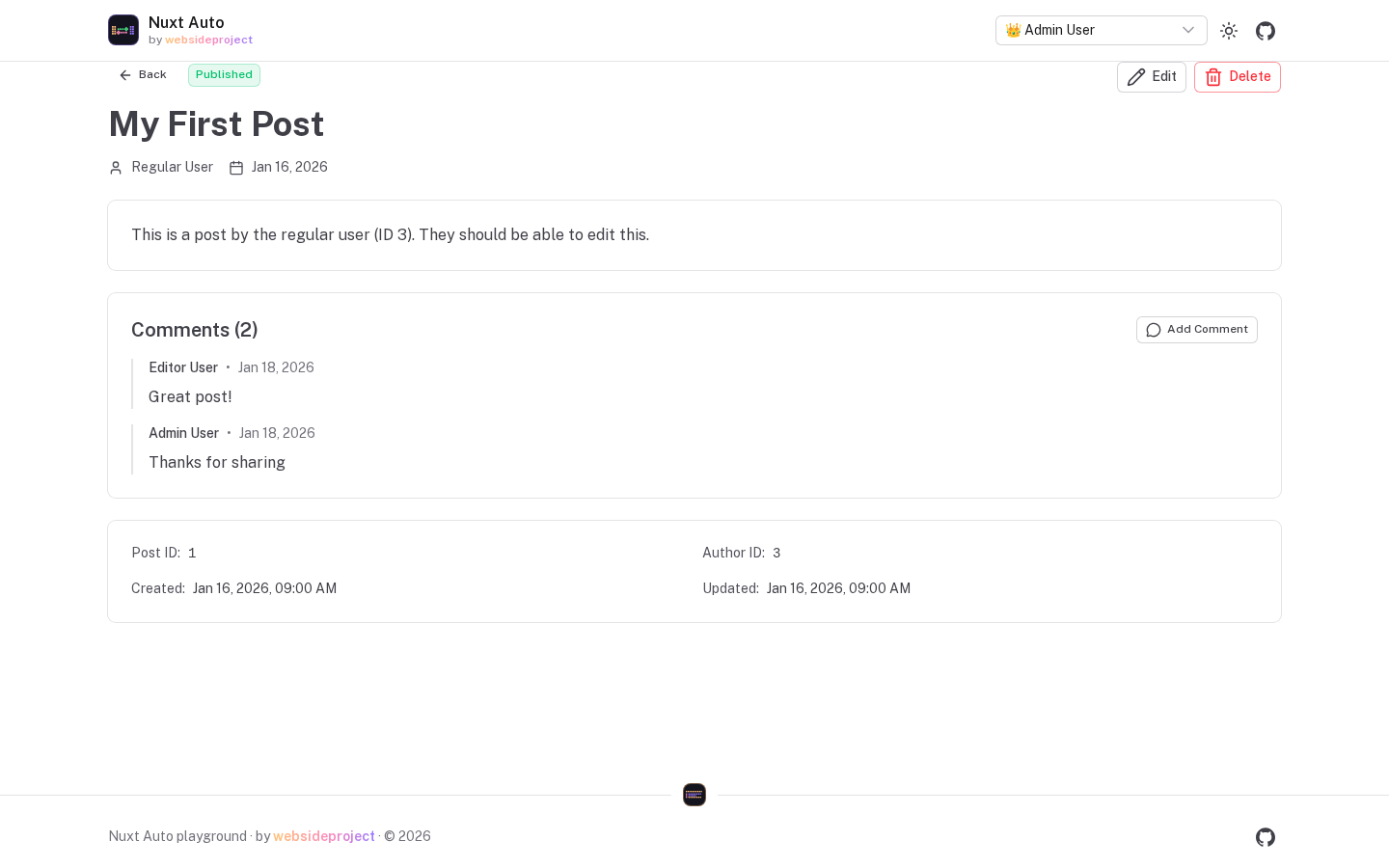
function useAutoApiGet<T>(
  resource: MaybeRef<string>,
  id: MaybeRef<string | number>, // the query is disabled while the id is empty
  params?: MaybeRef<{ include?: string | string[], fields?: string | string[] }>,
  options?: UseQueryOptions,
)
<script setup lang="ts">
const route = useRoute()
const id = computed(() => route.params.id as string)
const { data: post } = useAutoApiGet<Post>('posts', id, { include: 'author,comments' })
</script>
useAutoApiInfinite
Cursor pagination for infinite scroll. It sends the empty first cursor (cursor=) for you and follows
meta.nextCursor — see Pagination.
<script setup lang="ts">
const { data, fetchNextPage, hasNextPage, isFetchingNextPage } = useAutoApiInfinite<Post>('posts', {
  limit: 20,
  sort: '-createdAt',
  filter: { published: true },
})
const posts = computed(() => data.value?.pages.flatMap(page => page.data) ?? [])
</script>

<template>
  <article v-for="post in posts" :key="post.id">{{ post.title }}</article>
  <button v-if="hasNextPage" :disabled="isFetchingNextPage" @click="fetchNextPage()">Load more</button>
</template>
useAutoApiAggregate
const { data } = useAutoApiAggregate('orders', {
  aggregate: ['count', 'sum(total)'],
  groupBy: 'status',
  having: { count: { $gt: 5 } },
  filter: { createdAt: { $gte: '2026-01-01' } },
})
// data.value.data → [{ group: { status: 'paid' }, count: 42, sum_total: 1234 }, …]
See Aggregations.
Mutations
Every mutation invalidates all cached queries of its resource (lists, gets, infinite lists, aggregates, M2M)
on success. Your own onMutate / onSuccess / onError run after the built-in ones — passing
onSuccess does not switch off the invalidation.
useAutoApiCreate / useAutoApiUpdate / useAutoApiDelete
<script setup lang="ts">
const { mutateAsync: createPost, isPending } = useAutoApiCreate<Post>('posts', {
  onSuccess: res => navigateTo(`/posts/${res.data.id}`),
})
const { mutate: updatePost } = useAutoApiUpdate<Post>('posts')
const { mutate: deletePost } = useAutoApiDelete('posts')

await createPost({ title: 'New post', content: '…' })
updatePost({ id: 12, title: 'Renamed' }) // the id, plus the fields to change — top level
deletePost(12) // → { success, softDeleted?, deletionId? }
</script>
useAutoApiUpdate takes the fields next to the id: { id, title }. Wrapping them — { id, data: { title } }
— sends a data field, which the server drops as unknown (or writes into a column called data).useAutoApiMutation
One entry point for the three: useAutoApiMutation('posts', 'create' | 'update' | 'delete', options) returns
the same thing as the matching composable above.
Toasts
Mutations can show toasts through a provider your app supplies (the admin module registers one):
const { mutate } = useAutoApiCreate('posts', {
  toast: { enabled: true, showSuccess: true, showErrors: true },
})
// plugins/auto-api-toast.ts — adapt your toast library
export default defineNuxtPlugin((nuxtApp) => {
  const toast = useToast()
  nuxtApp.vueApp.provide('autoApiToastProvider', {
    success: (title: string, description?: string) => toast.add({ title, description, color: 'success' }),
    error: (title: string, description?: string) => toast.add({ title, description, color: 'error' }),
    warning: (title: string, description?: string) => toast.add({ title, description, color: 'warning' }),
    info: (title: string, description?: string) => toast.add({ title, description }),
  })
})
Errors are mapped to a readable title by status (400, 401, 403, 404, 409, 422, 500).
Optimistic updates
<script setup lang="ts">
const queryClient = useQueryClient()
const { mutate } = useAutoApiUpdate<Post>('posts', {
  onMutate: vars => useAutoApiOptimisticUpdate(queryClient, 'posts', vars.id, vars),
  onError: (_error, _vars, ctx: any) => ctx && queryClient.setQueryData(ctx.queryKey, ctx.previousData),
})
</script>
useAutoApiOptimisticUpdate(queryClient, resource, id, updates) cancels in-flight fetches of that record, patches
the cached get result and returns { queryKey, previousData } for the rollback. Pass the query client from
setup — useQueryClient() does not work inside onMutate.
Manual invalidation
const queryClient = useQueryClient()
await invalidateAutoApiResource(queryClient, 'posts') // every cached posts query
Bulk
const { mutate: createMany } = useAutoApiBulkCreate('posts')
createMany([{ title: 'A' }, { title: 'B' }]) // POST   /api/posts/bulk { items }

const { mutate: updateMany } = useAutoApiBulkUpdate('posts')
updateMany([{ id: 1, published: true }, { id: 2, published: true }]) // PATCH { items: [{ id, data }] }

const { mutate: deleteMany } = useAutoApiBulkDelete('posts')
deleteMany([1, 2, 3]) // DELETE { ids }
See Bulk Operations for transactional behaviour and the response.
Many-to-many
const { data } = useM2MRelation('articles', articleId, 'categories', { includeRecords: true })

const { mutate: sync } = useM2MSync('articles', articleId, 'categories')
sync({ ids: [1, 2, 3] }) // replace

useM2MAdd('articles', articleId, 'categories').mutate({ ids: [4] })
useM2MRemove('articles', articleId, 'categories').mutate({ ids: [1] })
useM2MBatchSync('articles', articleId).mutate({ relations: { categories: { ids: [1] }, tags: { ids: [7, 8] } } })
M2M mutations update the cached relation optimistically, roll back on error, and then invalidate the resource and the relation's cached queries. See M2M Relationships.
Permissions
const { canCreate, canUpdate, canDelete, permissions } = usePermissions('posts')
const canEditEmail = computed(() => permissions.value?.fields?.email?.canWrite)

const { data } = useAllPermissions() // every resource in one request
These mirror the server's rules for UI purposes (hiding buttons) — the server still decides every request.
canUpdate / canDelete answer for the resource. When a resource has an objectLevel rule (only the author may
edit, drafts are read-only…), ask per row — one request for a whole page of rows:
const { data } = useAutoApiList('posts')
const { can } = useRecordPermissions('posts', () => data.value?.data.map(p => p.id) ?? [])
// <UButton :disabled="!can(post.id, 'update')">Edit</UButton>
A row the caller cannot see answers false, like one that does not exist.
Custom endpoints
// GET — `unwrap: true` returns the payload inside createEndpoint's { data } envelope
const { data } = useAutoApiEndpointQuery<Stats>('/api/users/12/stats', undefined, {
  queryKey: ['users', 12, 'stats'],
  unwrap: true,
})

// POST/PUT/PATCH/DELETE, invalidating what it affects
const { mutate } = useAutoApiEndpointMutation('/api/orders/checkout', {
  invalidates: [['autoapi', 'orders']],
  toast: { enabled: true, showSuccess: true, successMessage: 'Order placed' },
})
A URL that depends on the row — pass a function of the mutation input (the input is also the body; endpoints
ignore keys their body schema doesn't declare):
const send = useAutoApiEndpointMutation((v: { id: string }) => `/api/campaigns/${v.id}/send`, {
  invalidates: [['autoapi', 'campaigns']],
})
await send.mutateAsync({ id: row.id })
Responses are whatever the endpoint returns — JSON, or text such as rendered HTML — and the body can be FormData
for uploads, so there is no reason to fall back to a bare $fetch for those.
Server-side rendering
During SSR the composables call the API with the incoming request's headers (Nuxt's useRequestFetch), so
a signed-in page renders the caller's data rather than an anonymous 401. Queries are not awaited on the server
unless you ask; await suspense() renders the data into the HTML, and the result is shipped to the client in the
payload and hydrated — no second request, no hydration mismatch:
<script setup lang="ts">
const { data, suspense } = useAutoApiList('posts', { sort: '-createdAt', limit: 10 })
await suspense()
</script>
Only awaited queries are shipped. Without suspense() the server renders the loading state and the client
fetches — even when the query happened to finish on the server during the render: that data arrived after its
component rendered, and shipping it would make the client hydrate against HTML it did not produce. During
prerendering (nuxi generate) queries are disabled — there is no database at build time.
Query keys
Keys start with ['autoapi', resource, …] ('list', 'get', 'infinite', 'aggregate', 'm2m'), which is
what invalidation matches on. Permissions use ['permissions', …].
Cache configuration
The module creates the query client (staleTime 5 min, gcTime 10 min, no refetch on window focus, one retry)
and provides it as $queryClient:
// plugins/query-defaults.ts
export default defineNuxtPlugin(() => {
  useNuxtApp().$queryClient.setDefaultOptions({
    queries: { staleTime: 60_000, retry: 2 },
  })
})
TypeScript
Pass the row type: useAutoApiList<Post>('posts') types data.value.data as Post[];
useAutoApiCreate<Post, NewPost>('posts') types the variables. ListQueryParams, ListResponse, GetResponse,
AggregateOptions, AggregateResponse and AutoApiMutationOptions are exported from
@websideproject/nuxt-auto-api/composables.
Resources
SQLite to D1 Migration
This guide walks you through migrating your Nuxt Auto API application from local SQLite to Cloudflare D1 for edge deployment.
Testing
How to test an API built with Nuxt Auto API — and how the package tests itself.