
Configuration & Theming
Configuration & Theming
Customize the appearance and behavior of your admin panel.
Module Options
All configuration goes in the autoAdmin key of your nuxt.config.ts:
export default defineNuxtConfig({
  autoAdmin: {
    prefix: '/admin',
    branding: { /* ... */ },
    permissions: { /* ... */ },
    features: { /* ... */ },
    resources: { /* ... */ },
    customPages: [ /* ... */ ],
    ui: { /* ... */ },
    middleware: 'admin-only',
    actions: '~/admin.actions', // optional: where custom actions live
  },
})
Branding
Customize the admin panel's visual identity:
autoAdmin: {
  branding: {
    // Admin panel title (shown at the top of the sidebar)
    title: 'My Admin Panel',

    // Logo URL or path (shown in sidebar)
    logo: '/admin-logo.svg',
  },
}
Logo Guidelines
- Size: Recommended 28x28px for best appearance
- Format: SVG, PNG, or any web-compatible image
- Path: Relative to
public/directory or absolute URL - Fallback: If no logo is provided, a default icon is shown
Prefix
Set the base URL for all admin routes:
autoAdmin: {
  prefix: '/admin',  // Default
}
All admin pages will be available under this prefix:
/admin- Dashboard/admin/users- Users list/admin/users/new- Create user/admin/users/1- User detail/admin/users/1/edit- Edit user
Features
Turn the resource list's tools on or off:
autoAdmin: {
  features: {
    search: true,        // Default: true
    filters: true,       // Default: true
    bulkActions: true,   // Default: true
    export: true,        // Default: true
    import: false,       // Default: false
    auditLog: false,     // Default: false
  },
}
Every feature goes through nuxt-auto-api's own routes, as the signed-in user: the API authorizes each request,
and the admin only offers what GET /api/permissions says the caller may do. A control the caller may not use
is hidden or shown disabled, per permissions.unauthorizedButtons. API errors are shown
as the API sends them.
What the admin can use is read from nuxt-auto-api's options at build time: the page and batch limits
(pagination.maxLimit, bulk.maxBatchSize, bulk.enabled) and the routes of the export and audit-log plugins,
when those plugins are listed inline in nuxt.config (see
Plugin Registration).
Search
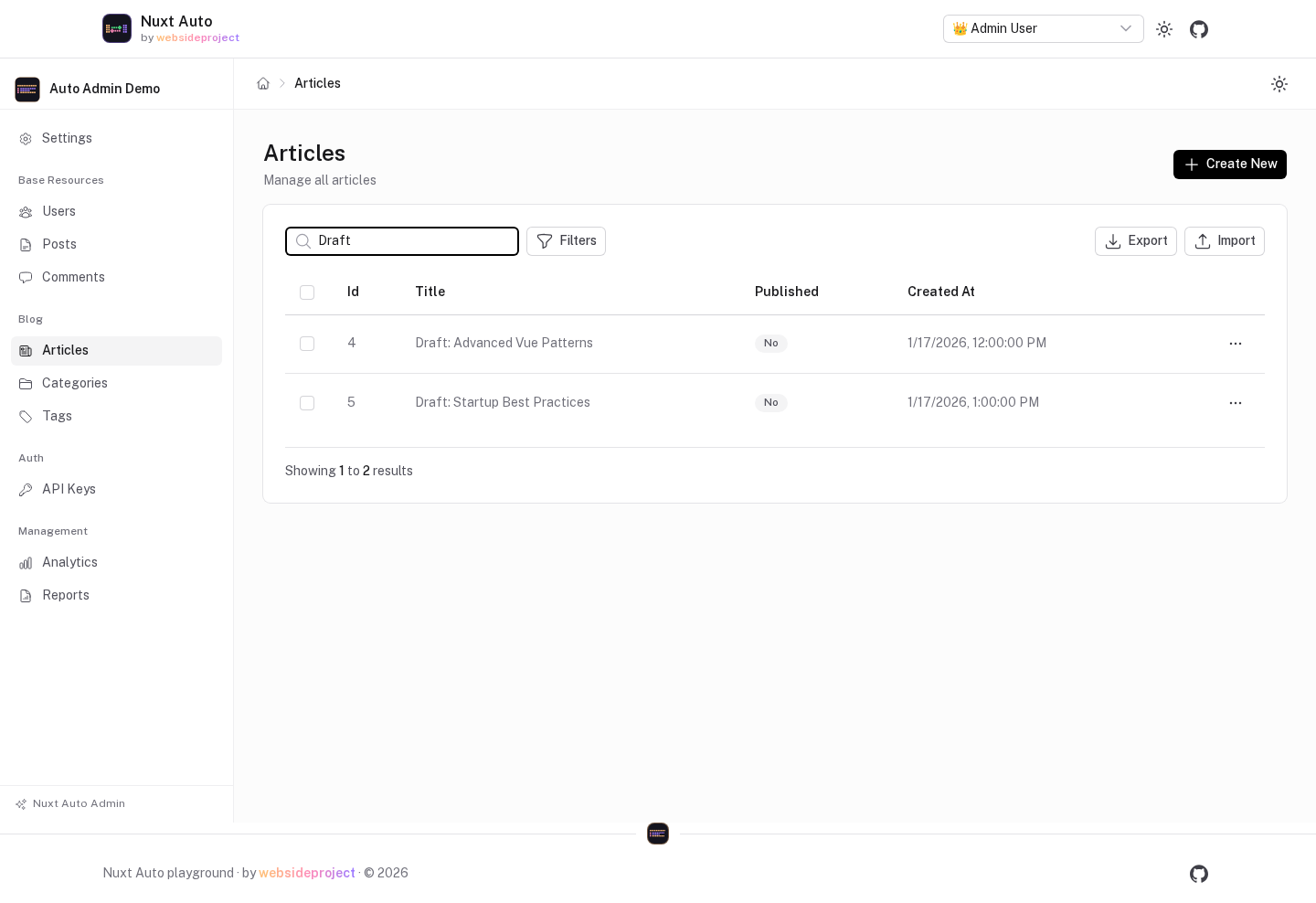
A search box above the list. The term is matched ($like, "contains") against every text column the list
shows, as one $or, and combined with the column filters. Typing waits for a pause before the list reloads.
- Only columns in the list's
listFieldsthat the caller may read are searched — hidden fields and fields whosefields[x].readrule denies the caller are left out (the API refuses a filter on them with a 400). - Case sensitivity is the database's:
LIKEignores case for ASCII on SQLite and MySQL, not on Postgres. - The term is kept in the URL (
?q=), so a searched list can be reloaded or shared.
Filters
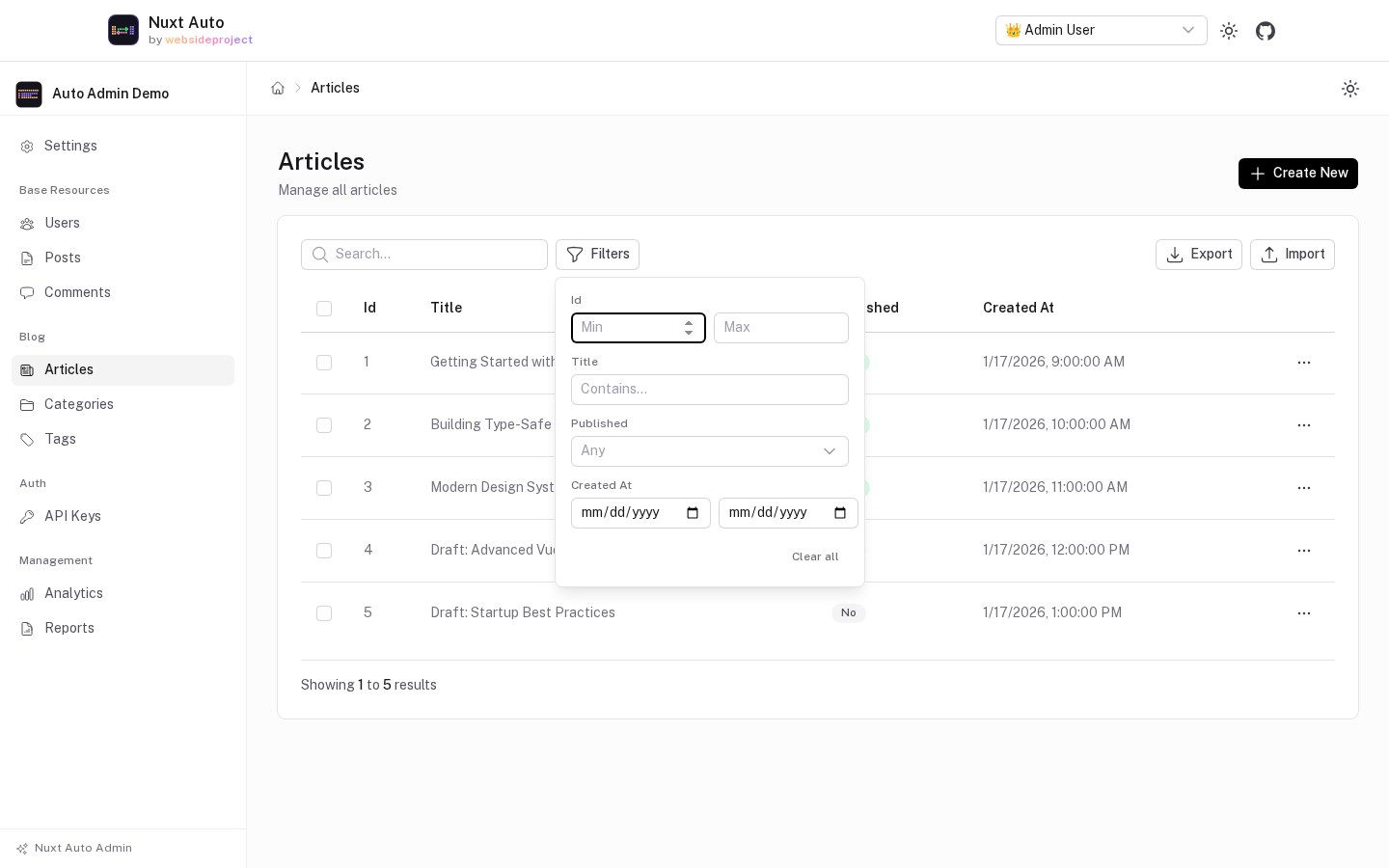
A Filters button opens one filter per list column the caller may read, chosen by the column's type:
| Column | Filter | Sent as |
|---|---|---|
| text | contains | { title: { $like: 'nuxt' } } |
| enum | one value | { status: { $eq: 'live' } } |
| boolean | yes / no | { published: { $eq: true } } |
| number | min / max | { views: { $gte: 10, $lte: 100 } } |
| date / timestamp | from / to (whole days, browser time zone) | { createdAt: { $gte: '…Z', $lte: '…Z' } } |
JSON, blob and UUID columns get no filter. Each filter clears on its own, or all at once; they are kept in the
URL (?filters=) together with the page.
Bulk actions
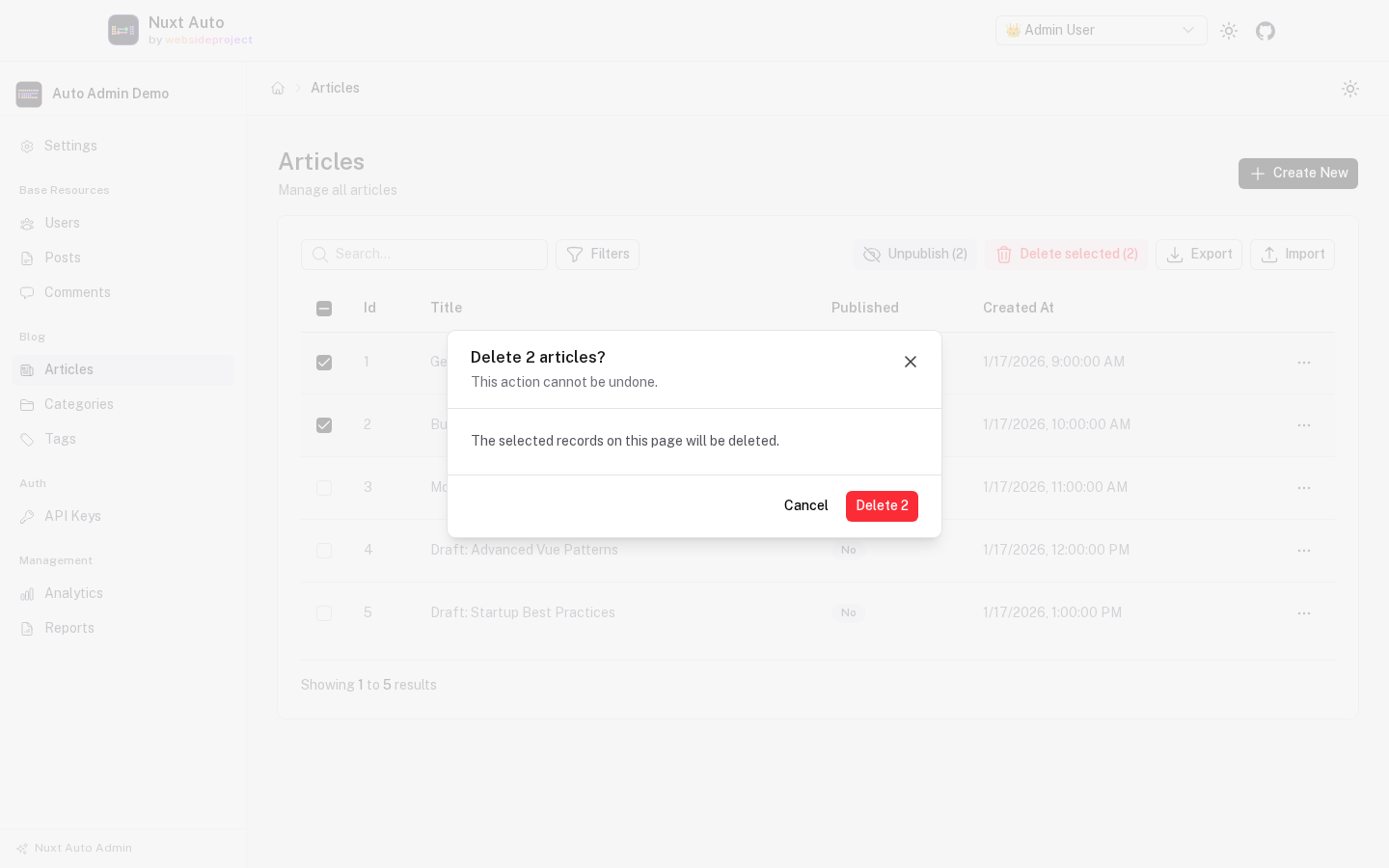
Row checkboxes and Delete selected, which sends one DELETE /api/{resource}/bulk { ids } after a
confirmation.
- Permission:
canDelete. Without it there are no checkboxes, so the button never appears — it shows only while rows are selected, under eitherunauthorizedButtonssetting. - Selection is per page and cleared when the page, search or filters change: nothing off-screen is deleted.
- In the default transactional mode a failure deletes nothing, and the dialog names the item that failed
(
Item 2 (id 17): not found). Withbulk.transactional: falsethe others are deleted and each failure is listed. - Off when the API's bulk routes are disabled (
autoApi.bulk.enabled: false).
Export
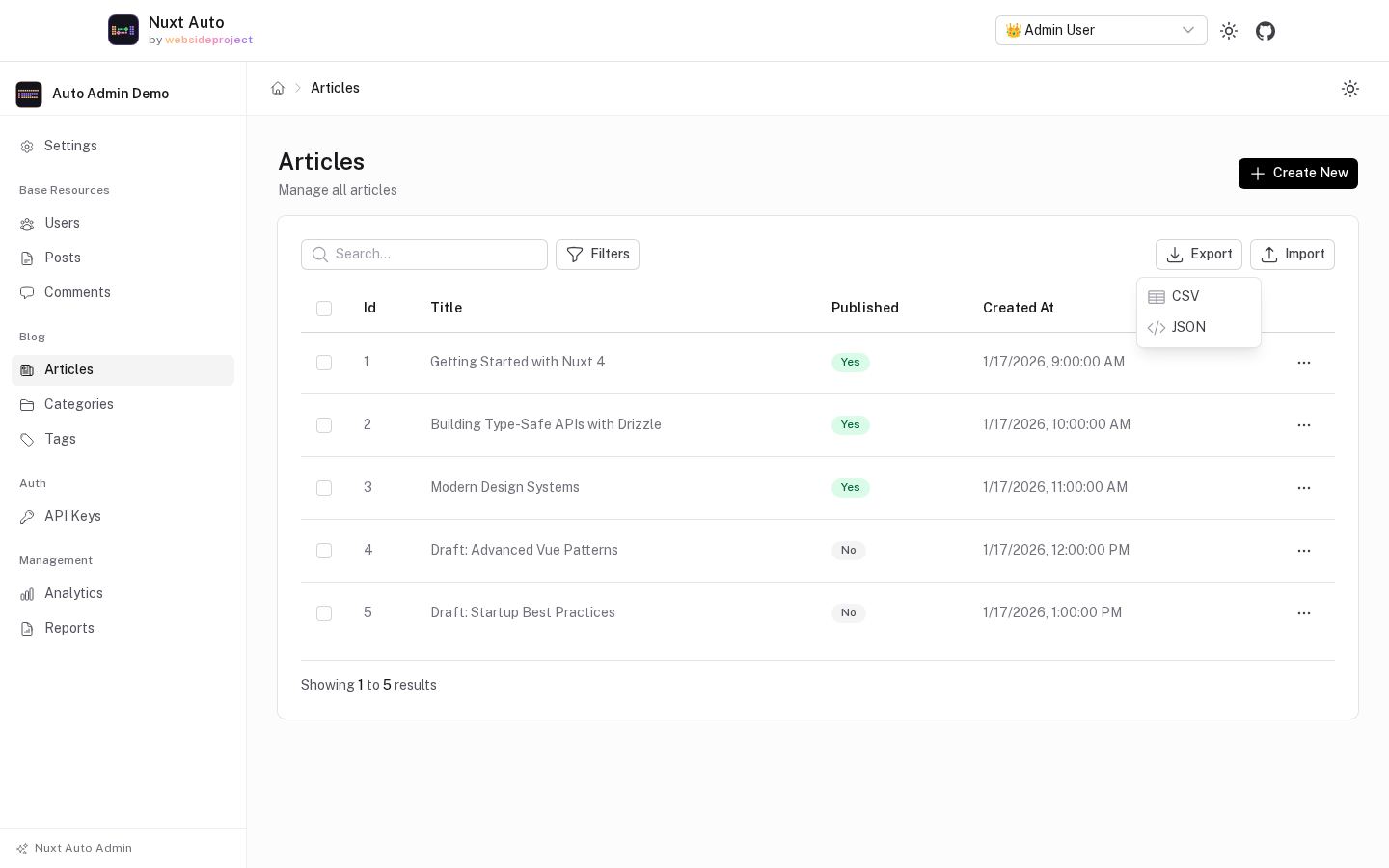
Export → CSV / JSON downloads the list as it is currently searched and filtered, with every field the caller may read (JSON is an array of rows).
- Permission:
canRead. - With
createExportPluginregistered for the resource, the file comes fromGET /api/{resource}/export?format=csv|json, in the formats the plugin allows, up to itsmaxRows. - Without it, the admin pages through
GET /api/{resource}with the keyset cursor,pagination.maxLimitrows at a time, up to 10,000 rows, and writes the file in the browser. - Either way, CSV cells a spreadsheet would run as a formula (starting with
=,+,-,@, a tab or a CR) get a leading'. A toast says when the export stopped at the row cap.
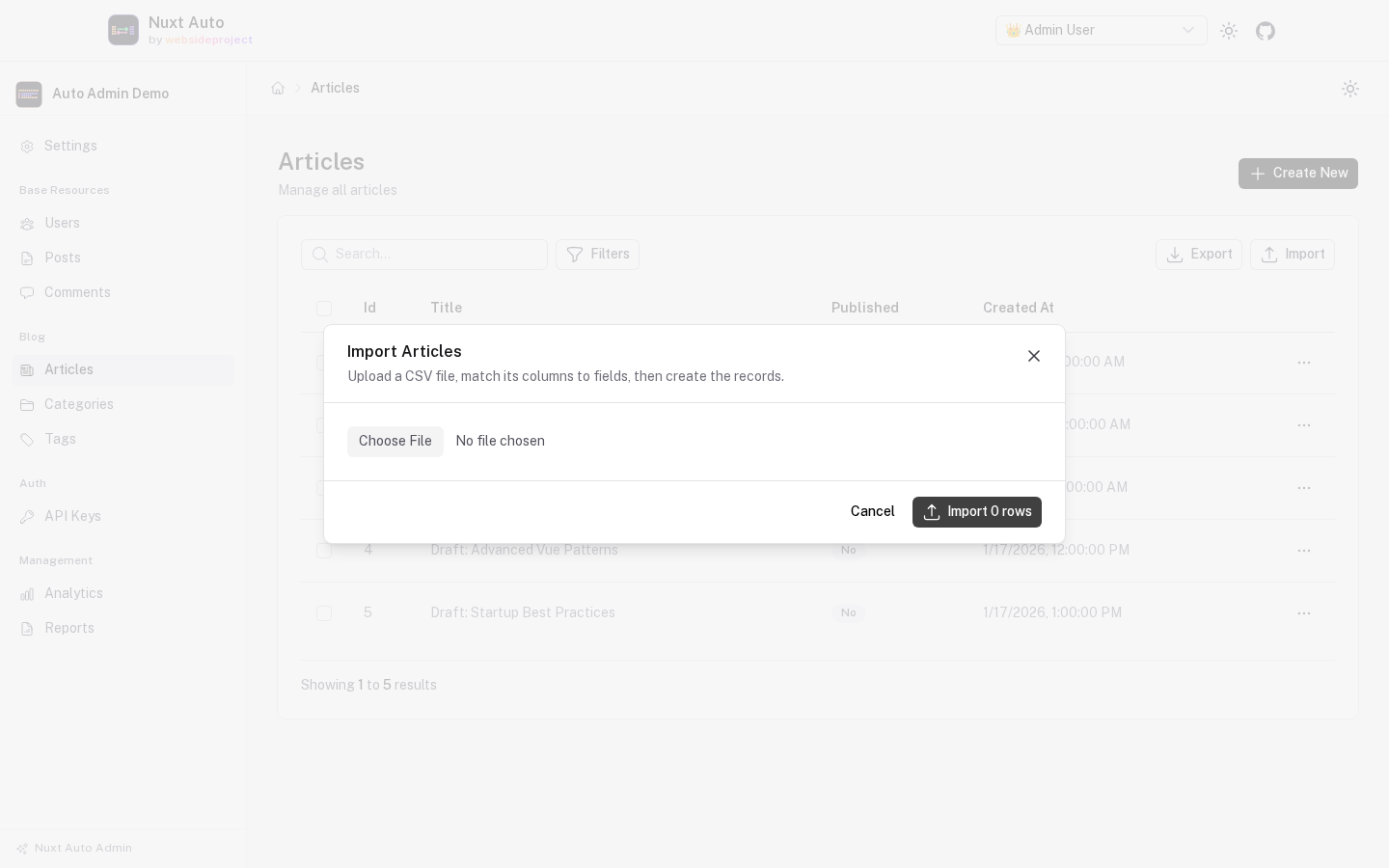
Import
Import uploads a CSV file (with a header row), maps each of its columns to a field — matched by name or label,
editable — and previews the first rows. The rows are then created with POST /api/{resource}/bulk { items }, in
batches of the API's bulk.maxBatchSize (default 100), one after the other.
- Permission:
canCreate. Only fields of the create form the caller may write are offered. - Numbers and booleans (
true/false,1/0,yes/no) are typed from the column; an empty cell is left out, so the column default applies. Everything else is sent as text for the API to validate. - Each batch reports how many rows it created, or the rows the API rejected (
Row 137: status: Invalid option). In transactional mode a failed batch writes nothing and the import stops there; the batches before it stay created. - Off by default, and when the API's bulk routes are disabled.
Audit log
A History panel on the record's page (and in the view dialog): the latest 20 changes to the record, newest first, with who made them and which fields an update changed.
- Needs
createAuditLogPluginregistered; it readsGET /api/audit-logs?resource=…&recordId=…, which is authorized by the audit table's ownreadpermission. - Without the plugin there is no panel. A caller who may not read the log gets a one-line note instead, never an error page.
- Off by default.
Permission Behavior
Control how the UI responds to permission restrictions:
autoAdmin: {
  permissions: {
    // How to handle buttons when user lacks permission
    // 'disable' = show buttons but disable them (default)
    // 'hide' = completely hide buttons
    unauthorizedButtons: 'disable',

    // How to handle sidebar items when user lacks permission
    // 'hide' = completely hide items from sidebar (default)
    // 'disable' = show items but in disabled state
    unauthorizedSidebarItems: 'hide',
  },
}
Button Behavior Options
unauthorizedButtons: 'disable' (default)
- Buttons are visible but disabled
- Forms show with all fields disabled
- User sees what they could do with proper permissions
- Better for internal users who might request access
unauthorizedButtons: 'hide'
- Buttons are completely hidden
- Forms show permission denied message
- Cleaner UI for external users
- Stricter access control
Sidebar Behavior Options
unauthorizedSidebarItems: 'hide' (default)
- Resources without permissions don't appear in sidebar
- Cleaner navigation
- Users only see what they can access
unauthorizedSidebarItems: 'disable'
- Resources without permissions appear grayed out
- Not clickable
- Shows what exists but is restricted
- Better discoverability
See Permissions for more details.
Access Control
Decide who may open the admin with a named route middleware of your app. It runs on every admin page:
// nuxt.config.ts
autoAdmin: {
  middleware: 'admin-only',   // or ['auth', 'admin-only']
}
// middleware/admin-only.ts
export default defineNuxtRouteMiddleware(async () => {
  const { data } = await useFetch('/api/permissions')
  const canManageAnything = Object.values(data.value?.permissions ?? {}).some(p => p.canUpdate)
  if (!canManageAnything) return navigateTo('/login')
})
Inside the admin, every resource page also requires some permission on its resource, and every button reflects what the API allows the caller (see Permissions). None of this is what protects your data — nuxt-auto-api enforces authorization on every request, whatever the UI shows.
access: (user) => … is gone: a function in nuxt.config never reaches the running app, so it was never
applied. Setting it now fails the build — move the check into a route middleware.Edit and view mode
autoAdmin: {
  ui: {
    editMode: 'modal', // 'modal' (default) — edit in a dialog over the list; 'page' — /admin/{resource}/{id}/edit
    viewMode: 'modal', // 'modal' (default) — view in a dialog; 'page' — /admin/{resource}/{id}
  },
}
Use 'page' for complex forms, such as resources with many-to-many cards.
Theming with Nuxt UI
Since @websideproject/nuxt-auto-admin uses @nuxt/ui, you can customize the appearance using Nuxt UI's theming system:
App Config
// app.config.ts
export default defineAppConfig({
  ui: {
    colors: {
      primary: 'blue',
      neutral: 'slate', // the admin's greys (sidebar, header, cards, borders) follow this
    },
  },
})
Tailwind CSS
Tailwind CSS v4 is configured in CSS, not in a tailwind.config.ts. Add your own colors and fonts to the
stylesheet that imports Nuxt UI:
/* app/assets/css/main.css */
@import "tailwindcss";
@import "@nuxt/ui";

@theme static {
  --font-sans: 'Public Sans', sans-serif;
  --color-brand-500: #6366f1;
}
Height under your own header
The admin is an app shell: the sidebar spans its full height and the page scrolls inside it. By default it is
as tall as the viewport. When you mount it below your own header (a UHeader, say), give it the space that is
left with --auto-admin-height on any ancestor, so the page does not grow by the header's height:
<!-- app.vue -->
<UMain class="[--auto-admin-height:calc(100dvh-var(--ui-header-height))]">
  <NuxtLayout>
    <NuxtPage />
  </NuxtLayout>
</UMain>
Color Mode
Dark mode is supported by default through Nuxt UI. Users can toggle between light and dark themes using the color mode switcher.
Custom CSS
The admin is styled with Tailwind utilities and Nuxt UI's semantic colors (text-muted, bg-elevated, …), which
read the --ui-* variables — set those to restyle it along with the rest of your app:
/* app/assets/css/main.css */
:root {
  --ui-radius: 0.375rem;
}
It has no class names of its own to target.
Complete Example
// nuxt.config.ts
export default defineNuxtConfig({
  modules: ['@nuxt/ui', '@websideproject/nuxt-auto-api', '@websideproject/nuxt-auto-admin'],

  autoAdmin: {
    prefix: '/admin',

    branding: {
      title: 'Acme Corp Admin',
      logo: '/acme-logo.svg',
    },

    permissions: {
      unauthorizedButtons: 'disable',
      unauthorizedSidebarItems: 'hide',
    },

    features: {
      bulkActions: true,
      search: true,
      filters: true,
      export: true,
      import: false,
      auditLog: false,
    },

    middleware: 'admin-only',
  },
})
// app.config.ts
export default defineAppConfig({
  ui: {
    colors: {
      primary: 'indigo',
      neutral: 'zinc',
    },
  },
})
Next Steps
- Resource Configuration - Configure individual resources
- Permissions - Set up detailed permission handling
- Custom Pages - Add custom admin pages
Getting Started
Nuxt Auto Admin automatically generates a beautiful, type-safe admin panel from your Auto API resources with built-in CRUD operations, permissions, and customization options.
Resource Configuration
Configure how each resource appears and behaves in the admin panel.