
Bulk Operations
Bulk Operations
Nuxt Auto API provides atomic bulk operations for creating, updating, and deleting multiple records in a single request.
Overview
All bulk operations are:
- Atomic: all or nothing on every engine — a transaction, or one
db.batch()on Cloudflare D1 - Authorized: Check permissions for each item
- Validated: Validate each item before processing
- Hooked: Execute lifecycle hooks for each item
Bulk Create
Create multiple records in a single request:
POST /api/users/bulk

{
  "items": [
    {
      "name": "John Doe",
      "email": "john@example.com"
    },
    {
      "name": "Jane Smith",
      "email": "jane@example.com"
    }
  ]
}
Response:
{
  "data": [
    {
      "id": 1,
      "name": "John Doe",
      "email": "john@example.com",
      "createdAt": "2024-01-01T00:00:00Z"
    },
    {
      "id": 2,
      "name": "Jane Smith",
      "email": "jane@example.com",
      "createdAt": "2024-01-01T00:00:00Z"
    }
  ],
  "meta": {
    "total": 2,
    "successful": 2,
    "failed": 0
  }
}
Bulk Update
Update multiple records by ID:
PATCH /api/users/bulk

{
  "items": [
    {
      "id": 1,
      "data": {
        "name": "John Updated"
      }
    },
    {
      "id": 2,
      "data": {
        "email": "jane.new@example.com"
      }
    }
  ]
}
Response:
{
  "data": [
    {
      "id": 1,
      "name": "John Updated",
      "email": "john@example.com",
      "updatedAt": "2024-01-01T00:01:00Z"
    },
    {
      "id": 2,
      "name": "Jane Smith",
      "email": "jane.new@example.com",
      "updatedAt": "2024-01-01T00:01:00Z"
    }
  ],
  "meta": {
    "total": 2,
    "successful": 2,
    "failed": 0
  }
}
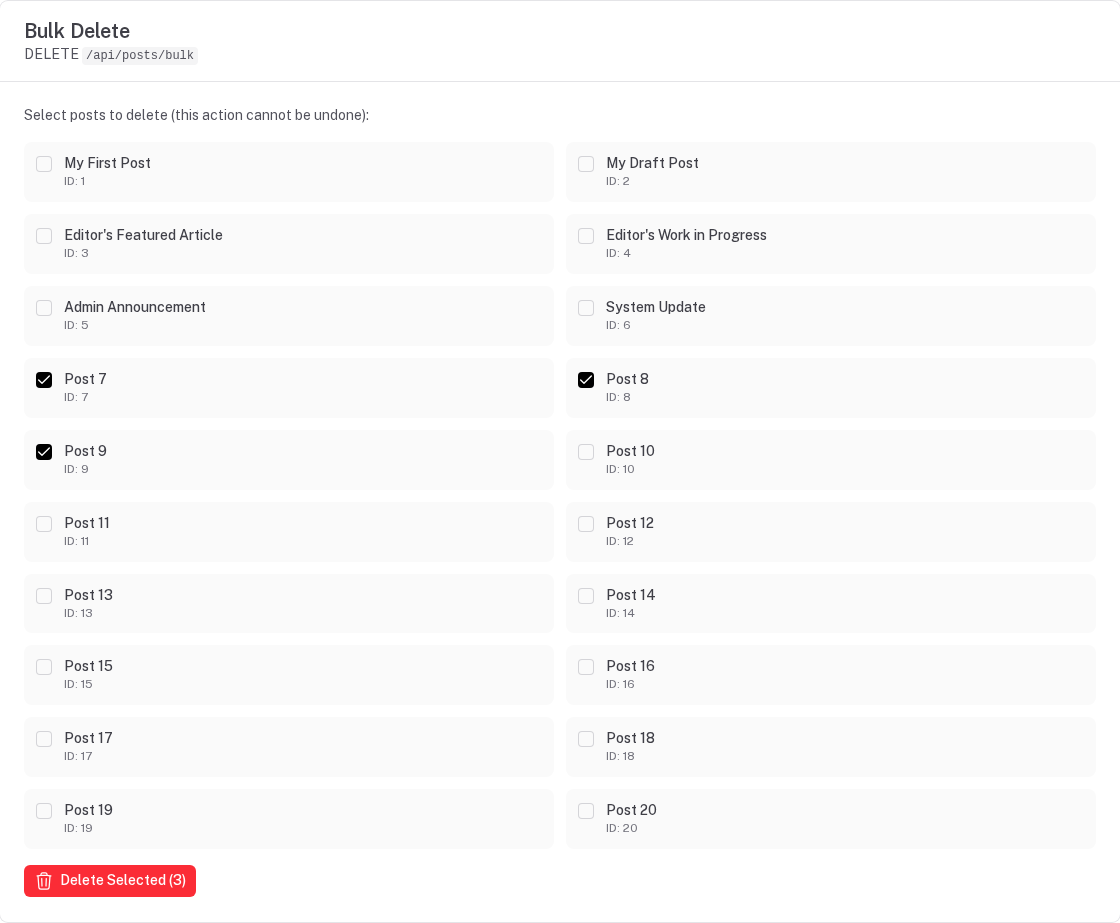
Bulk Delete
Delete multiple records by ID:
DELETE /api/users/bulk

{
  "ids": [1, 2, 3]
}
Response:
{
  "data": [
    { "id": 1, "deleted": true },
    { "id": 2, "deleted": true },
    { "id": 3, "deleted": true }
  ],
  "meta": {
    "total": 3,
    "successful": 3,
    "failed": 0
  }
}
Transaction Behavior
By default (transactional: true) a bulk request is all or nothing, in three steps:
- Check every item — validation, protected fields, row visibility,
objectLevel, the before-hook — with nothing written yet. The first item that fails ends the request with a400naming it. - Write every item's statements together: one transaction, or one
db.batch()on Cloudflare D1 (which has no interactive transactions). A database error there (a unique constraint, say) rolls every item back. - After-hooks run once the writes are committed — so they never fire for an item that was rolled back.
// If ANY item fails, NOTHING is written
PATCH /api/users/bulk

{
  "items": [
    { "id": 1, "data": { "name": "Valid" } },
    { "id": 999, "data": { "name": "Invalid ID" } }  // Fails
  ]
}

// Result: neither update is applied
{
  "statusCode": 400,
  "message": "Bulk operation failed (nothing was written)",
  "data": {
    "errors": [
      {
        "index": 1,
        "id": 999,
        "error": "users with id 999 not found",
        "statusCode": 404
      }
    ]
  }
}
A failure in step 2 is "Bulk operation failed (rolled back)". Its error names the item when the engine ran
the statements one by one; a D1 batch fails as a whole, so there errors[0] has the database's message and no
index.
Non-Transactional Mode
Disable transactions for partial success:
export default defineNuxtConfig({
  autoApi: {
    bulk: {
      transactional: false  // Allow partial success
    }
  }
})
With transactional: false:
PATCH /api/users/bulk

{
  "items": [
    { "id": 1, "data": { "name": "Valid" } },      // Succeeds
    { "id": 999, "data": { "name": "Invalid" } }   // Fails
  ]
}

// Result: First update succeeds, second fails
{
  "data": [
    {
      "id": 1,
      "name": "Valid",
      "updatedAt": "..."
    }
  ],
  "meta": {
    "total": 2,
    "successful": 1,
    "failed": 1,
    "errors": [
      {
        "index": 1,
        "id": 999,
        "error": "users with id 999 not found",
        "statusCode": 404
      }
    ]
  }
}
Batch Size Limits
Protect your database from oversized requests:
export default defineNuxtConfig({
  autoApi: {
    bulk: {
      maxBatchSize: 100  // Default: 100
    }
  }
})
Exceeding the limit returns an error:
POST /api/users/bulk

{
  "items": [/* 150 items */]
}

// Response:
{
  "statusCode": 400,
  "message": "Batch size exceeds maximum of 100"
}
Authorization
The route is gated by the resource's create / update / delete permission, and then every item goes
through exactly what its single-record route does: row visibility (tenant, listFilter, soft delete) and
objectLevel for updates and deletes; server-owned columns dropped, the tenant stamped and field-level write
rules enforced for creates and updates. A row the caller cannot see is reported as not found.
// User can only update their own records
PATCH /api/posts/bulk

{
  "items": [
    { "id": 1, "data": { "title": "My Post" } },      // User owns: ✅
    { "id": 2, "data": { "title": "Others Post" } }   // User doesn't own: ❌
  ]
}

// In transactional mode: entire request fails
// In non-transactional mode: only authorized items succeed
Lifecycle Hooks
Hooks execute for each item in the batch — in transactional mode every before-hook runs before anything is written, and every after-hook after the writes are committed:
// server/plugins/user-hooks.ts
import { addResourceHook } from '@websideproject/nuxt-auto-api/plugins'

export default defineNitroPlugin(() => {
  addResourceHook('users', {
    beforeCreate: async (data) => {
      console.log('Creating user:', data.email)
      // Set default values, validate, etc.
      data.role = data.role || 'user'
      return data
    },

    afterCreate: async (user) => {
      console.log('User created:', user.id)
      // Send welcome email, log audit, etc.
    },
  })
})
Bulk create triggers hooks for each item:
POST /api/users/bulk

{
  "items": [
    { "name": "User 1", "email": "user1@example.com" },
    { "name": "User 2", "email": "user2@example.com" }
  ]
}

// Console output:
// Creating user: user1@example.com
// Creating user: user2@example.com
// User created: 1
// User created: 2
On bulk routes an after-hook's return value is not used — the response holds the rows as written. (On the
single-record routes afterCreate / afterUpdate may return a replacement for the response.)
Validation
Every item is validated against the resource's create schema (bulk create) or update schema (the data of
each bulk update item) before anything is written. One invalid item fails the whole request with a 400 —
in transactional and non-transactional mode alike — and each issue's path names the item:
POST /api/users/bulk
{
  "items": [
    { "name": "Valid User", "email": "valid@example.com" },
    { "name": "X", "email": "invalid" }
  ]
}

// 400 Validation error
// data.errors: [{ path: ['items', 1, 'email'], message: 'Invalid email address', ... }]
Frontend Usage
With Composables
const { mutate: createMany } = useAutoApiBulkCreate('users')
createMany([
  { name: 'User 1', email: 'user1@example.com' },
  { name: 'User 2', email: 'user2@example.com' },
])

// Pass each record's id alongside the fields to change — the composable sends { items: [{ id, data }] }
const { mutate: updateMany } = useAutoApiBulkUpdate('users')
updateMany([{ id: 1, name: 'Updated 1' }, { id: 2, name: 'Updated 2' }])

const { mutate: deleteMany } = useAutoApiBulkDelete('users')
deleteMany([1, 2, 3])
All three invalidate the resource's cached queries on success.
Direct Fetch
// Bulk create
const response = await $fetch('/api/users/bulk', {
  method: 'POST',
  body: {
    items: [...]
  }
})

// Bulk update
await $fetch('/api/users/bulk', {
  method: 'PATCH',
  body: {
    items: [
      { id: 1, data: { ... } }
    ]
  }
})

// Bulk delete
await $fetch('/api/users/bulk', {
  method: 'DELETE',
  body: {
    ids: [1, 2, 3]
  }
})
Use Cases
Data Import
// Import CSV data
const users = parseCSV(csvFile)

const res = await $fetch('/api/users/bulk', {
  method: 'POST',
  body: { items: users }
})

console.log(`Imported ${res.meta.successful} users`)
Batch Updates
// Mark multiple items as processed
const itemIds = [1, 2, 3, 4, 5]

await $fetch('/api/tasks/bulk', {
  method: 'PATCH',
  body: {
    items: itemIds.map(id => ({
      id,
      data: { status: 'completed', completedAt: new Date() }
    }))
  }
})
Cleanup Operations
// Delete old records — one page at a time (a list returns at most `pagination.maxLimit` rows, 20 by default)
const oldRecordIds = await $fetch('/api/logs', {
  query: {
    filter: {
      createdAt: { $lt: '2023-01-01' }
    },
    fields: 'id',
    limit: 100
  }
})

await $fetch('/api/logs/bulk', {
  method: 'DELETE',
  body: {
    ids: oldRecordIds.data.map(r => r.id)
  }
})
Configuration Reference
export default defineNuxtConfig({
  autoApi: {
    bulk: {
      // Enable/disable bulk operations (default: true)
      enabled: true,

      // Maximum items per batch (default: 100)
      maxBatchSize: 100,

      // Use transactions (default: true)
      transactional: true
    }
  }
})
Error Handling
Transactional Mode Errors
{
  "statusCode": 400,
  "message": "Bulk operation failed (nothing was written)", // or "(rolled back)" for a database error
  "data": {
    "errors": [
      {
        "index": 1,
        "id": 999,
        "error": "users with id 999 not found",
        "statusCode": 404
      }
    ]
  }
}
Non-Transactional Mode Errors
{
  "data": [/* successful items */],
  "meta": {
    "total": 5,
    "successful": 3,
    "failed": 2,
    "errors": [
      {
        "index": 1,
        "id": 999,
        "error": "users with id 999 not found",
        "statusCode": 404
      },
      {
        "index": 3,
        "error": "Forbidden: you don't have permission to access this object",
        "statusCode": 403
      }
    ]
  }
}
Performance Considerations
Batch Size
Smaller batches = More requests but safer:
- Recommended: 50-100 items per batch
- Large imports: Split into multiple batches
// Split large dataset
const BATCH_SIZE = 100
const batches = chunk(largeDataset, BATCH_SIZE)

for (const batch of batches) {
  await $fetch('/api/users/bulk', {
    method: 'POST',
    body: { items: batch }
  })
}
Indexes
Ensure indexes exist for bulk updates/deletes:
-- Primary key index (usually automatic)
CREATE INDEX idx_users_id ON users(id);

-- For tenant-scoped bulk operations
CREATE INDEX idx_users_org_id ON users(organization_id);
Memory Usage
Large batches consume memory:
- Server: Holds all items in memory during transaction
- Client: JSON serialization/parsing overhead
Multi-Tenancy
Bulk operations respect tenant scoping:
// Automatically scoped to current tenant
POST /api/users/bulk

{
  "items": [
    { "name": "User 1", "email": "user1@example.com" }
    // organizationId automatically added
  ]
}

// Can only update/delete records in current tenant
PATCH /api/users/bulk
DELETE /api/users/bulk
Soft Deletes
Bulk delete respects soft delete configuration:
// If soft deletes are enabled
DELETE /api/users/bulk

{
  "ids": [1, 2, 3]
}

// Records are marked as deleted, not physically removed. All rows share ONE server-generated
// deletionId (returned in meta.deletionId), so the batch can be restored as a unit.
// ?force=true purges instead (needs the `purge` permission).
Best Practices
- Use transactions: Keep
transactional: truefor data integrity - Limit batch size: Don't exceed 100-200 items per request
- Handle errors: Check
meta.failedandmeta.errorsin responses - Validate upfront: Validate data before sending bulk requests
- Use hooks: Implement audit logging in
after*hooks - Monitor performance: Track bulk operation duration and optimize
- Split large imports: Break into smaller batches with progress tracking
Nested Relations
Nuxt Auto API supports advanced nested relation loading with field selection, filtering, and pagination at each level of nesting.
Getting Started
Nuxt Auto Admin automatically generates a beautiful, type-safe admin panel from your Auto API resources with built-in CRUD operations, permissions, and customization options.