
Real-Time Sync Details
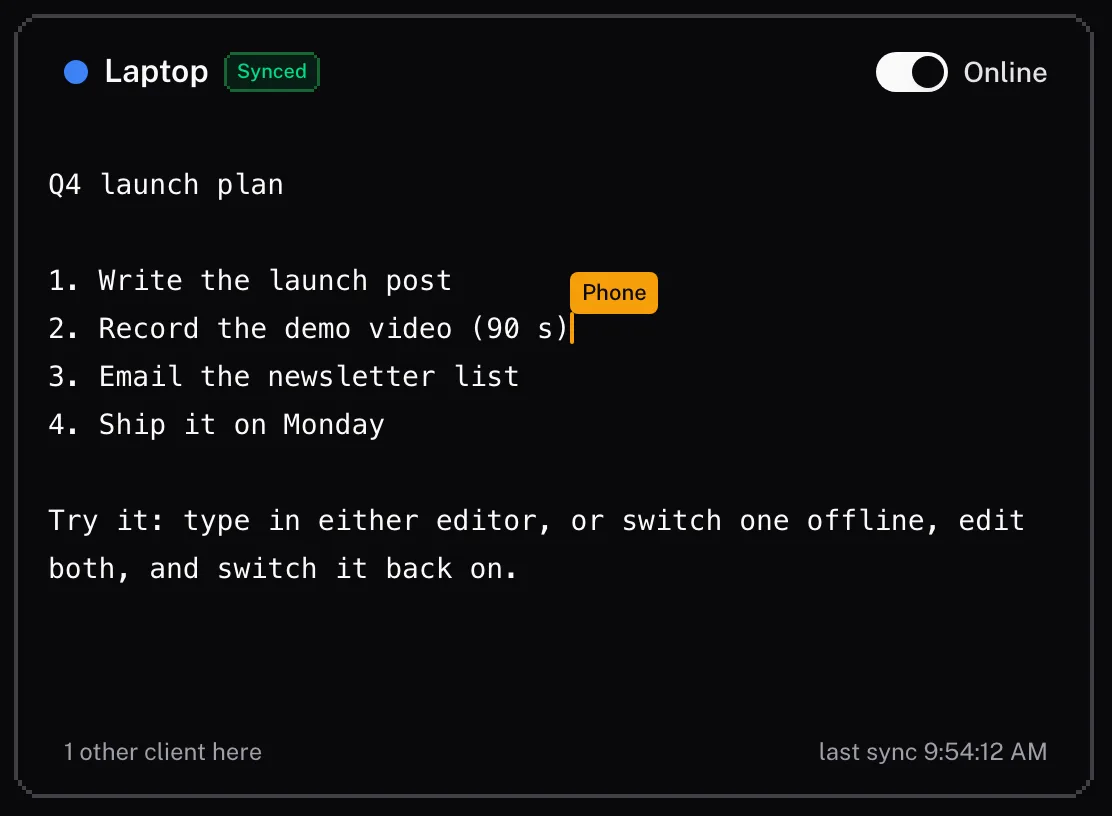
Live Cursors and Awareness
See every device that has the document open. Live cursors, names, and presence indicators show where each one is working; a document belongs to one account, so these are your own devices and tabs.
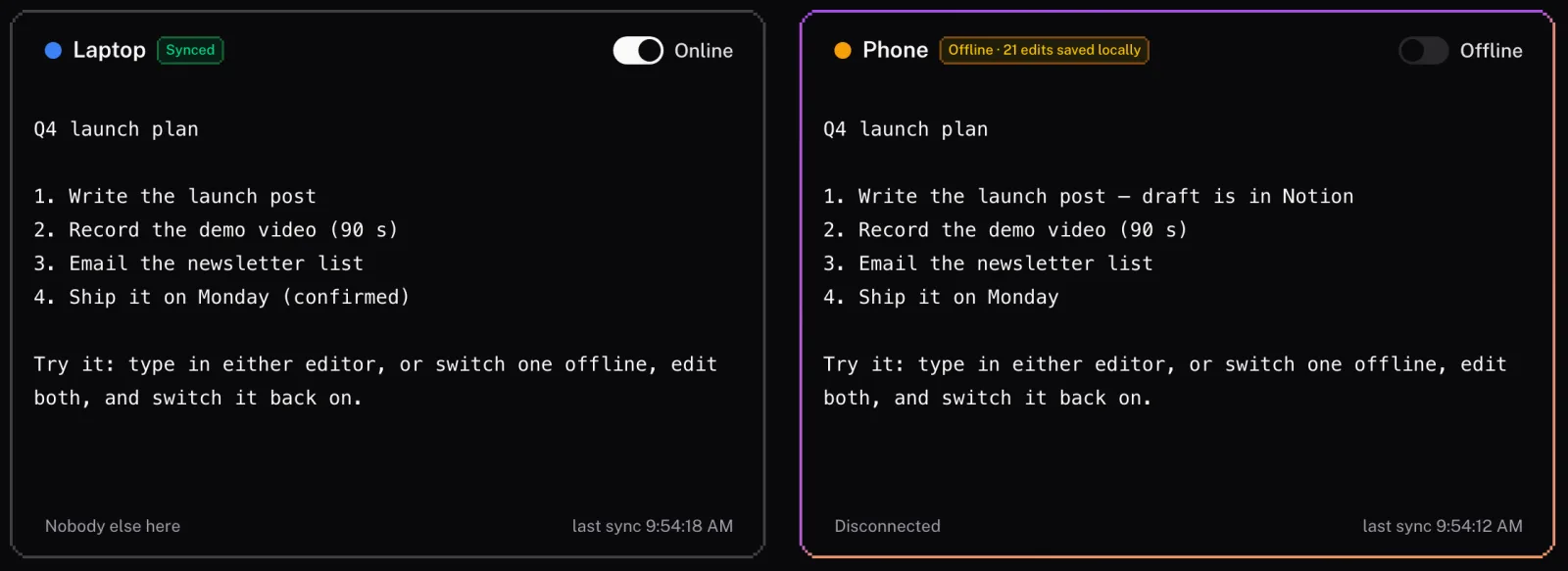
Works Offline
Don't let a bad connection stop work. Changes are saved locally on the user's device and automatically synced to the cloud as soon as the internet connection is restored.
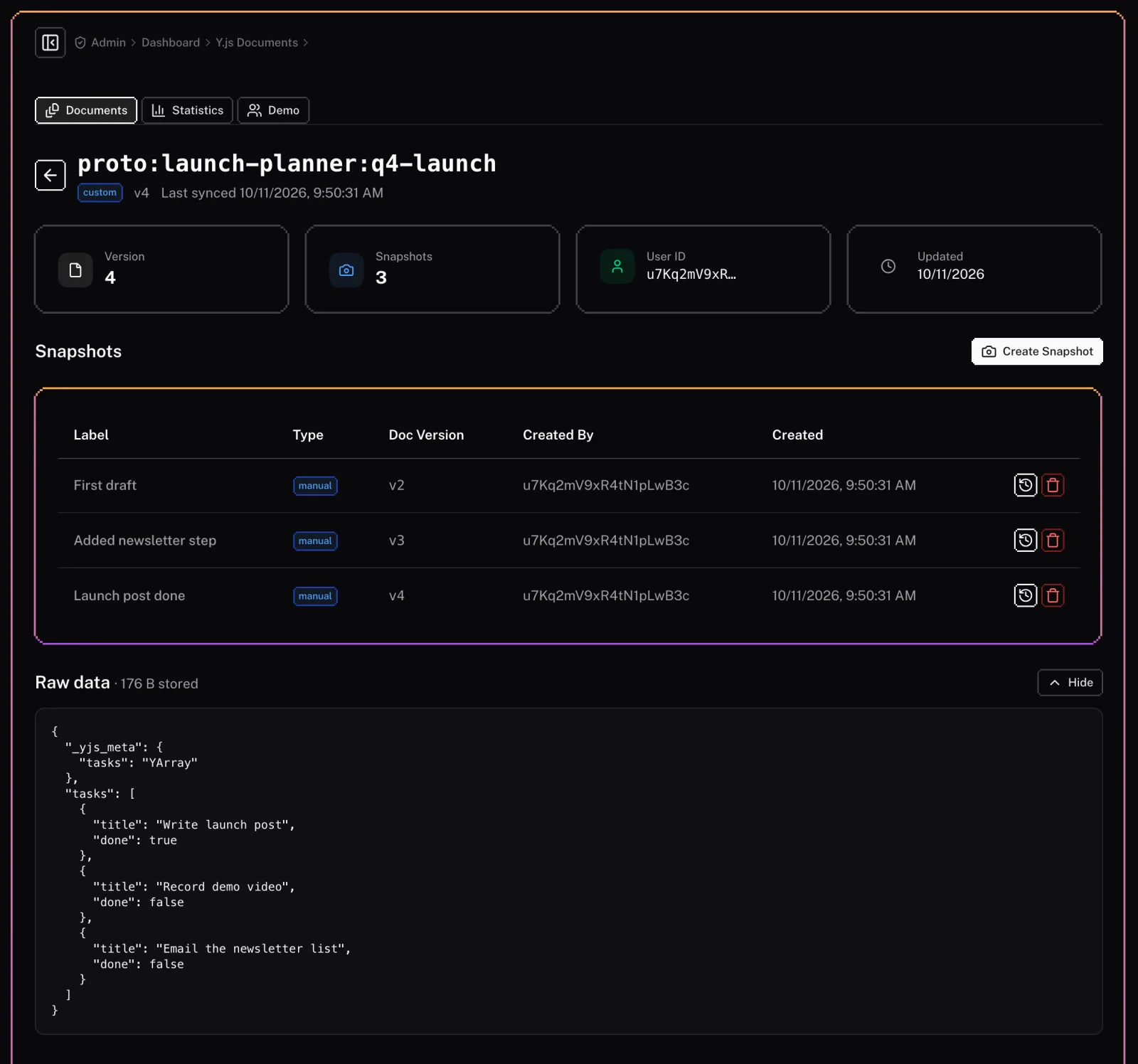
Document History
Never lose work. Our system can support undo/redo functionality and even keep snapshots of document history, allowing users to revert to previous versions if needed.
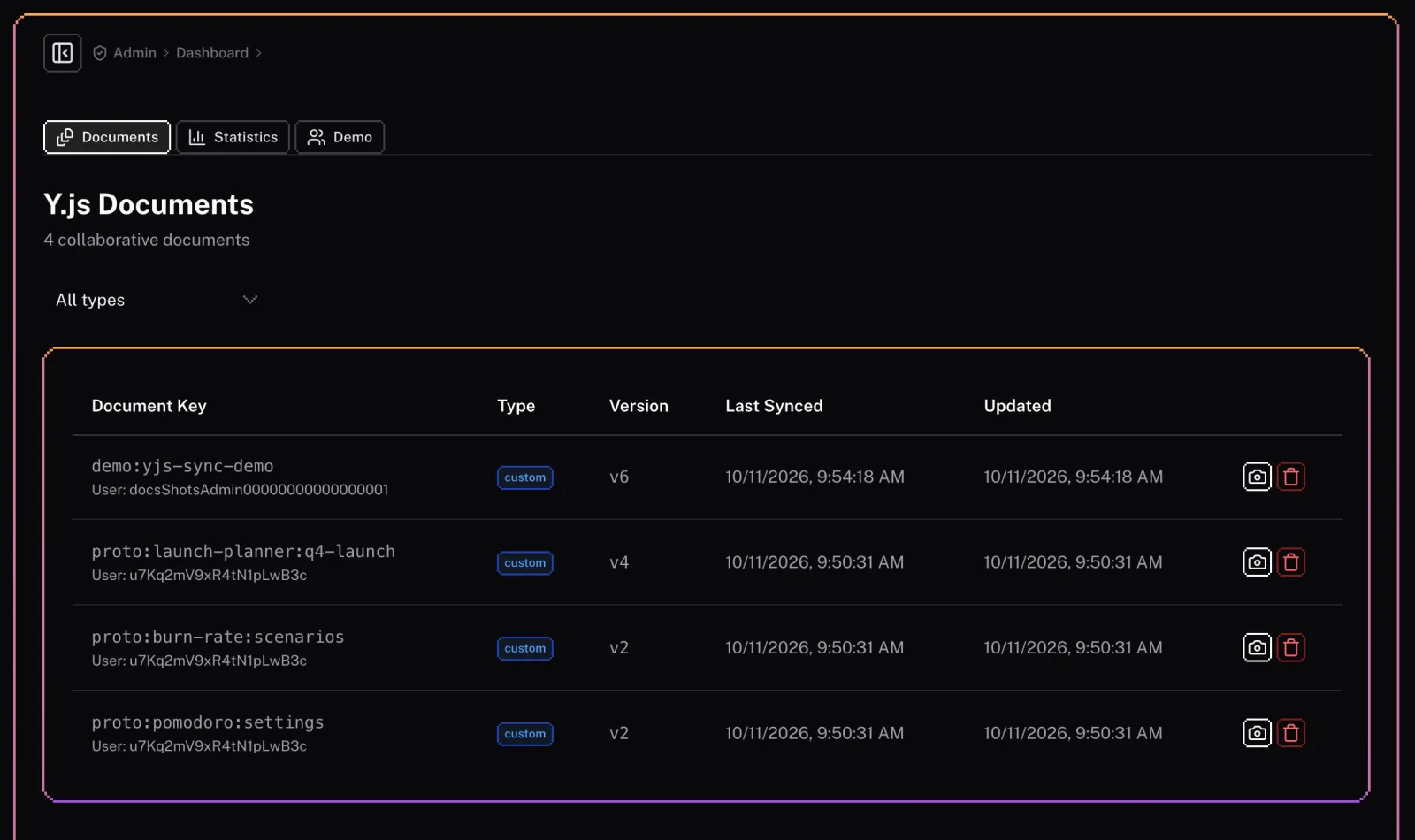
Admin Dashboard
Monitor your collaborative sessions. The admin dashboard lets you see synced documents, connected clients, and sync statistics, giving you full visibility into your system's usage.
Overview
Keep your users' data in sync across multiple devices. Our Cloud Sync feature uses Yjs and periodic API updates to ensure data consistency without the complexity of real-time infrastructure.
Admin
The Yjs sync module includes a set of admin features to manage your synced documents and monitor their status.