
Forms Admin Features
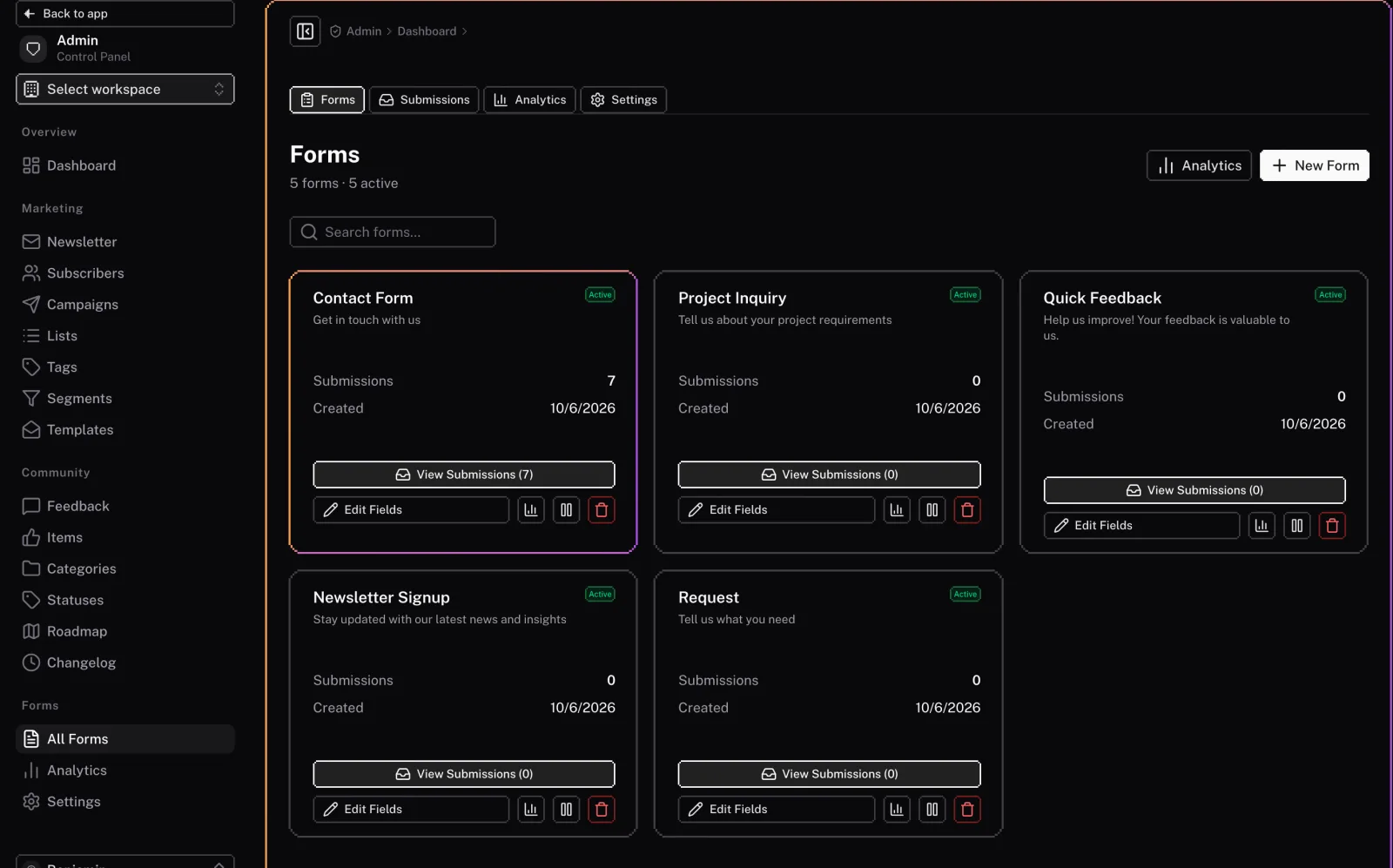
The forms module includes a powerful set of admin features to build and manage your forms, view submissions, and analyze their performance.
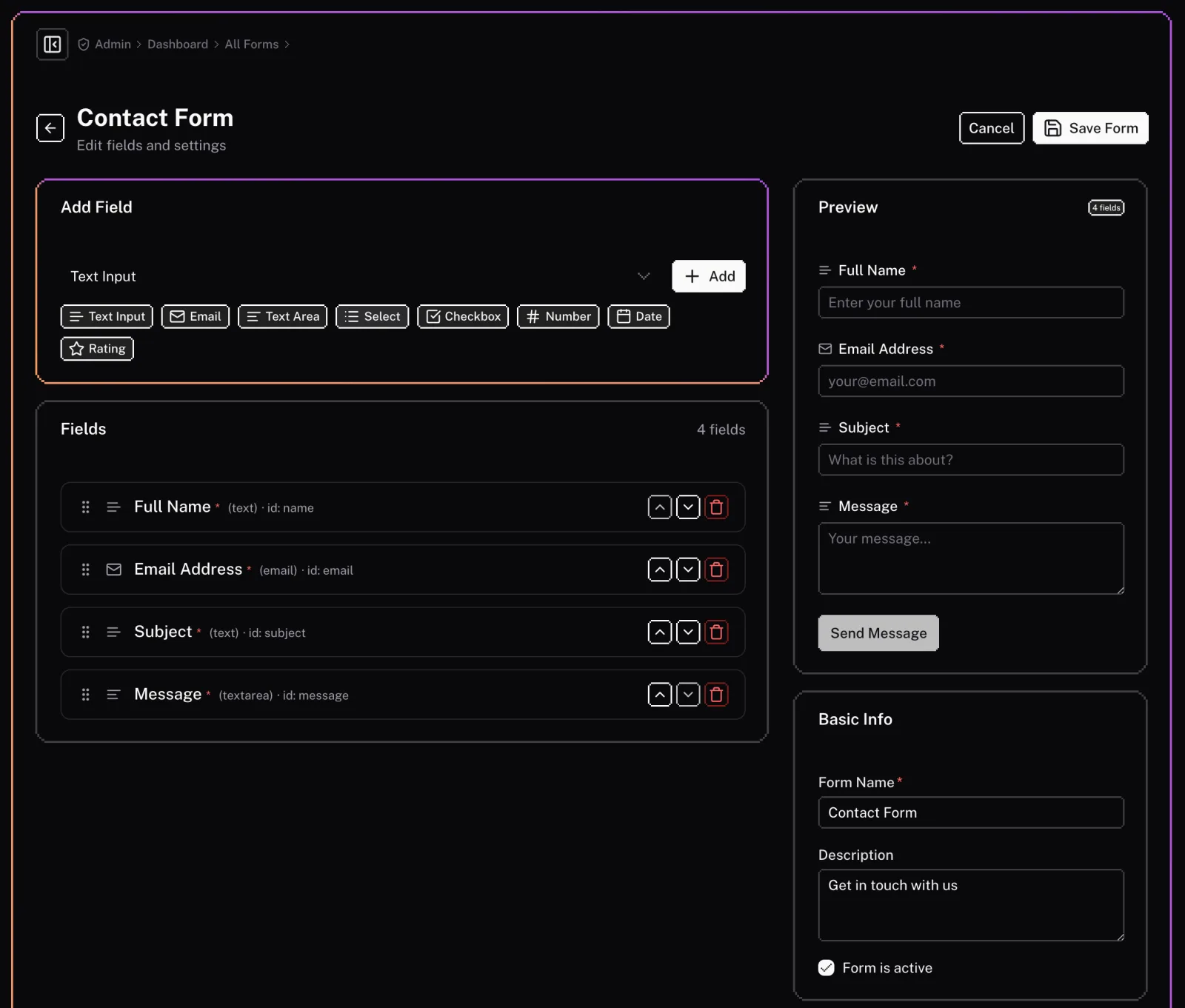
Form Builder
The admin panel includes a drag-and-drop form builder to create and customize your forms. You can:
- Add and reorder fields: Add new fields to your form and reorder them as needed.
- Configure field settings: Customize the label, placeholder, and validation rules for each field.
- Create multi-step forms: Break down long forms into multiple steps to improve the user experience.
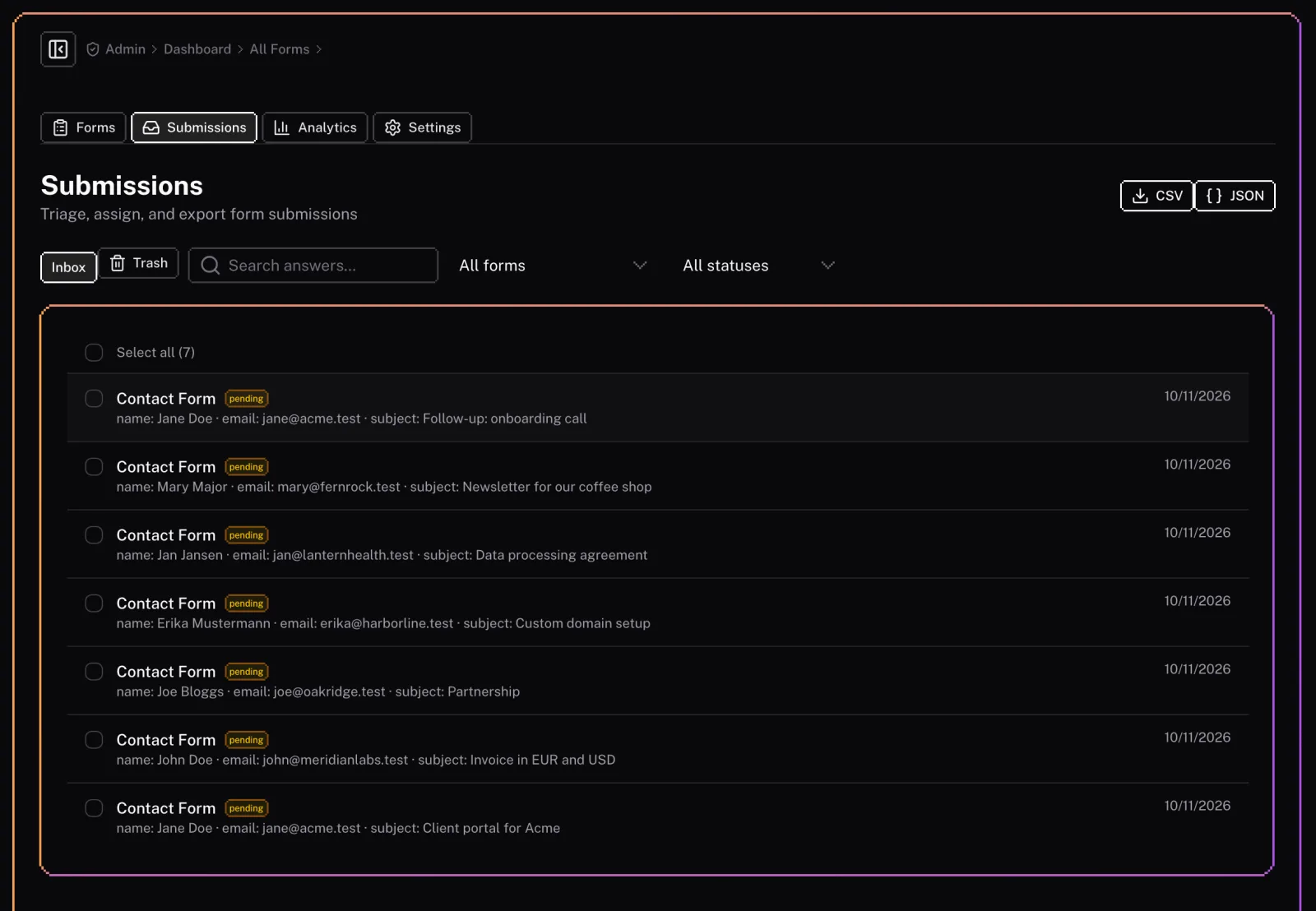
Submissions
The submissions section allows you to view and manage all the submissions for your forms. You can:
- View all submissions: See a list of all submissions for a form.
- Search and filter submissions: Find specific submissions based on the form data.
- Export submissions: Export your form submissions to a CSV file.
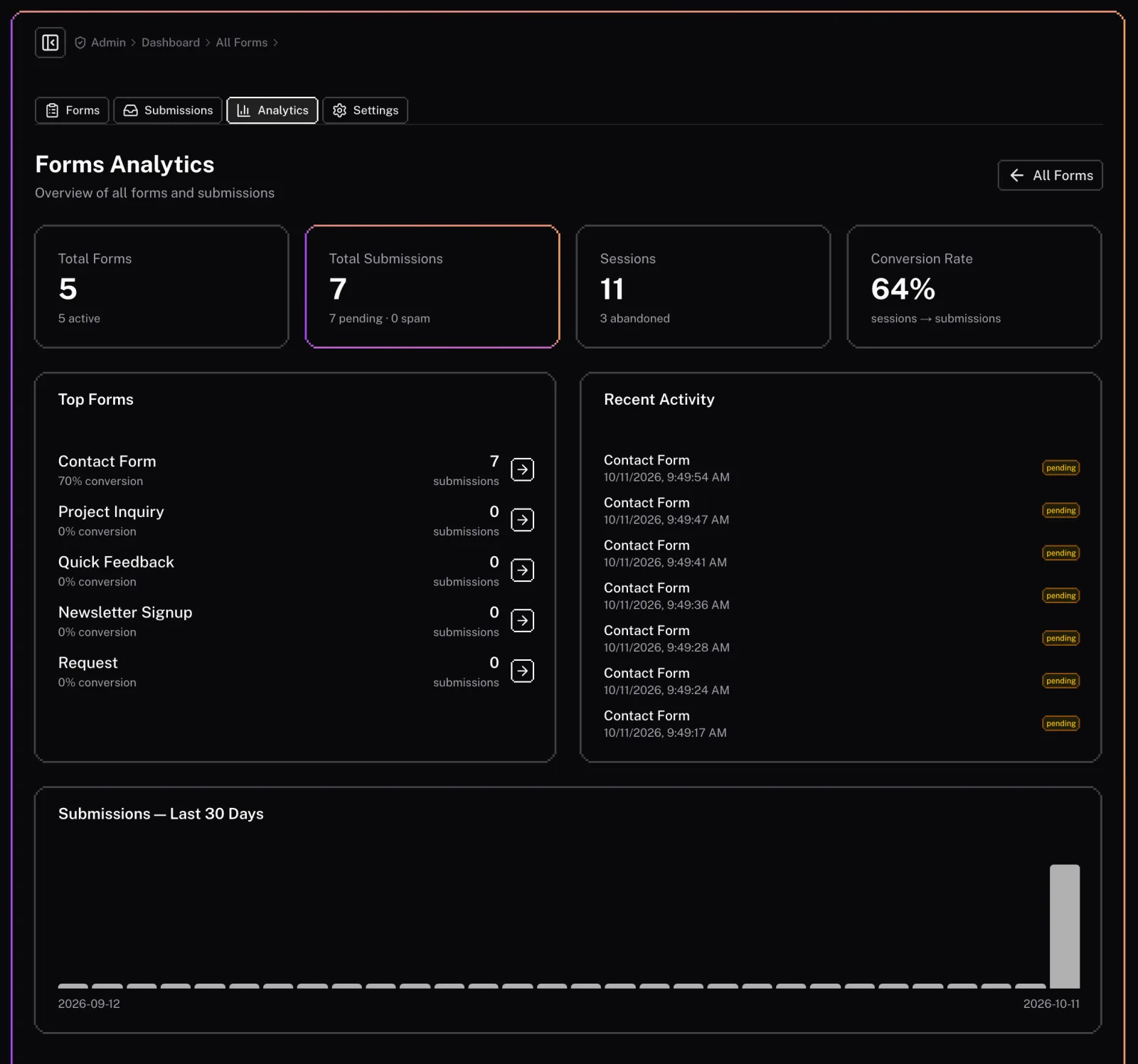
Analytics
The analytics section provides insights into the performance of your forms. You can view:
- Submission rates: The percentage of users who started filling out a form and successfully submitted it.
- Field-level analytics: See how users are interacting with each field in your form.
- Device and browser information: See what devices and browsers your users are using to submit your forms.
Settings
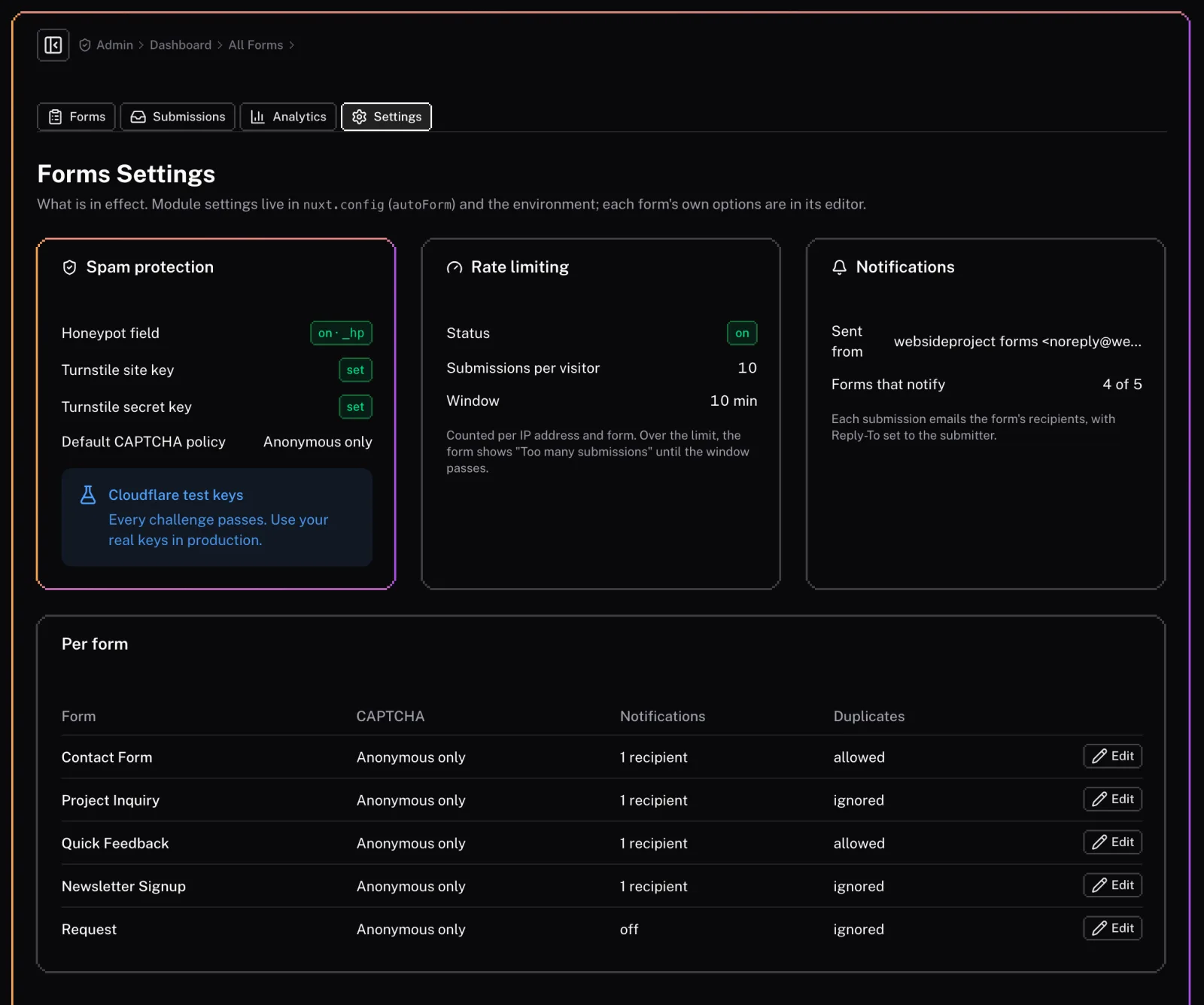
The settings page shows the forms configuration in effect (module settings come from nuxt.config, per-form ones from the form editor):
- Spam protection: The honeypot field, whether the Turnstile keys are set, and each form’s CAPTCHA policy.
- Rate limiting: How many submissions one visitor can send to a form in a time window.
- Notifications: The sender used and which forms email their recipients.
Details
Our Forms feature is built to handle everything from simple inquiries to complex data collection with ease and security.
Technical
This document provides technical details about the Forms feature, primarily for developers or for advanced configuration after deployment.