
Feedback Platform Details
Give your users a voice. The feedback board is the entry point for user engagement.
- Crowdsourced Priority: Users submit ideas and vote on others; sort by New, Top or Trending to see what rises.
- Rich Metadata: Boards (categories), tags, priority, and for bug reports the page and app version they came from.
- Smart Moderation: Approve posts before they go public to keep your board clean and on-topic.
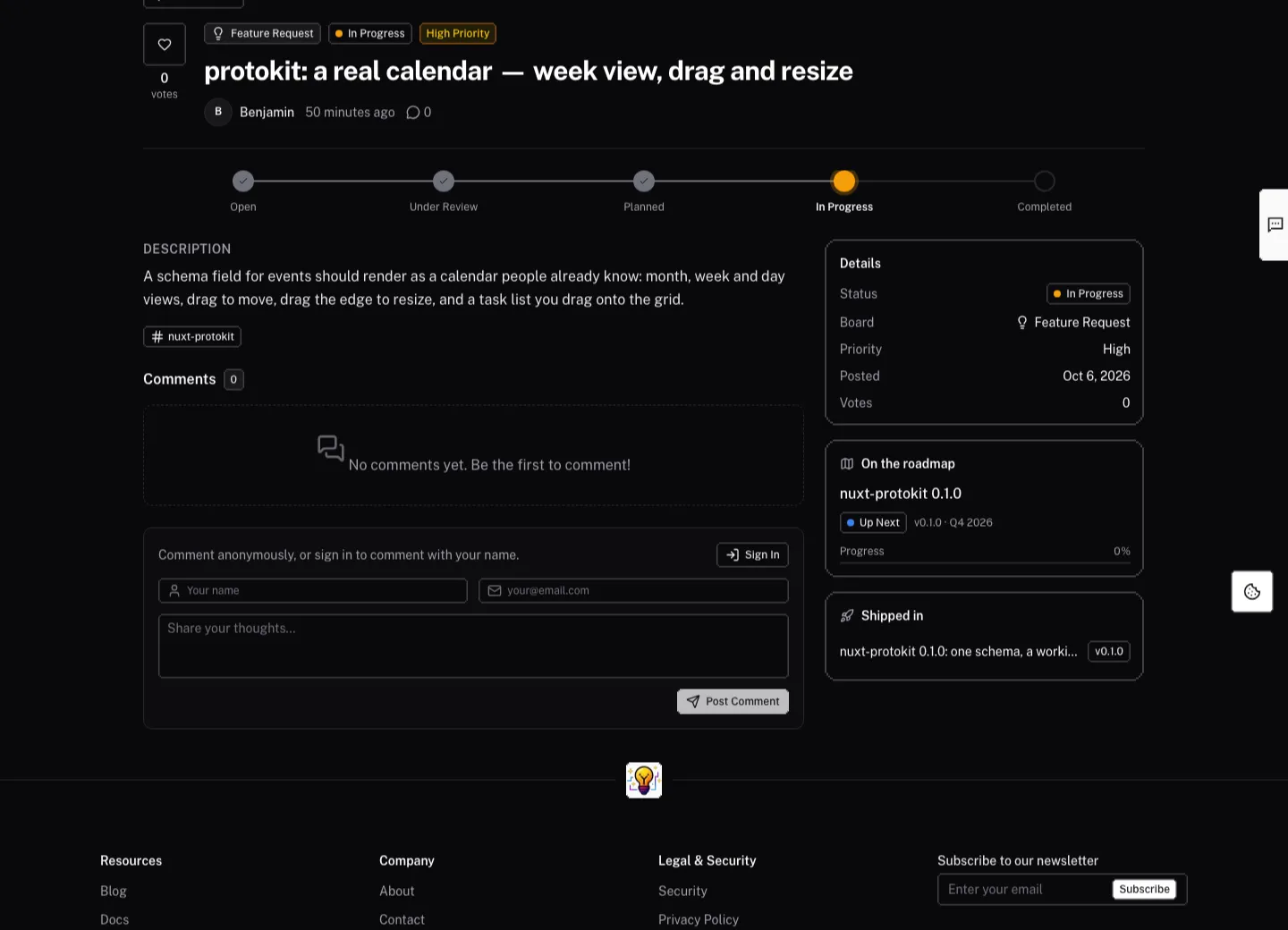
- A page per post: Each post opens over the board with a shareable link, and has its own page with the status, the conversation, and where it stands on the roadmap.
Visualize your strategy. Show users what you're working on and when to expect it.
- Three views: Kanban (one column per status), a Board, and a Timeline grouped by target quarter. Statuses are yours to name, color and order.
- Clear stages: Out of the box, Planned (we will build it, no date yet), Up Next (coming soon), In Development and Launched. An ⓘ next to each status explains what it means, so nobody reads "Planned" as "soon".
- Private backlog: Hide a status and its items stay off the public roadmap — the built-in Backlog is hidden, for drafts and ideas you haven't decided on.
- Milestones: A checklist per item, with target dates, plus a target version and quarter.
- Transparency: Each item shows its progress, the feedback it answers and the releases that delivered it.
Close the loop. Announce new features and improvements where your users will actually see them.
- Rich Content: Markdown release notes with images, a gallery of images and videos (YouTube, Vimeo or uploaded) that open full size, and link cards to docs or a blog post.
- Drafts: Write an entry and publish it when the release is out.
- "Coming Soon": Publish an entry with a release date — it is highlighted as coming soon until that date and reads as a normal release after it.
Deep Integration
The real power lies in how these components talk to each other. Unlike disconnected tools, our platform links everything together.
Connect Feedback to Roadmap
From the admin inbox, link a post to an existing roadmap item, or create a roadmap item from it. The post shows "On the roadmap" with the item's progress, and its author is notified (in-app and by email) when you change its status or reply.
Link Roadmap to Changelog
On the roadmap item, pick the changelog entries that delivered it. Visitors follow the trail from "User Request" → "Planned Feature" → "Shipped Update", and each changelog entry links back to its roadmap items.
Close the Loop on Release
When you publish a changelog entry, pick the feedback it shipped. The posts show "Shipped in" with the release, and everyone who upvoted them gets a "Shipped" notification.
External Links & Actions
Add link cards — docs, a blog post, the release on GitHub — directly to your Changelog entries, driving adoption the moment a feature is released.
Moderation Tools
Maintain a high-quality community with our built-in admin tools.
Approval Queue
Review pending posts and comments before they are published to prevent spam.
Bulk Triage
Select several posts and approve, reject, set status or priority, tag, assign or trash them at once.
Merge Duplicates
Merge a duplicate into the original post so the votes and the conversation end up in one place.
Overview
Listening to your customers is the key to building a great product. Our Feedback Platform provides a dedicated space for your users to share ideas, report issues, and vote on what features they want next.
Admin
The feedback platform includes a complete admin for triaging feedback, running the roadmap, publishing the changelog and reading the numbers — with the three parts linked to each other.