
Feedback Platform Admin Features
Everything lives under Admin → Feedback, in six tabs: Inbox, Board, Roadmap, Changelog, Taxonomy and Analytics.
Inbox: Triage Feedback
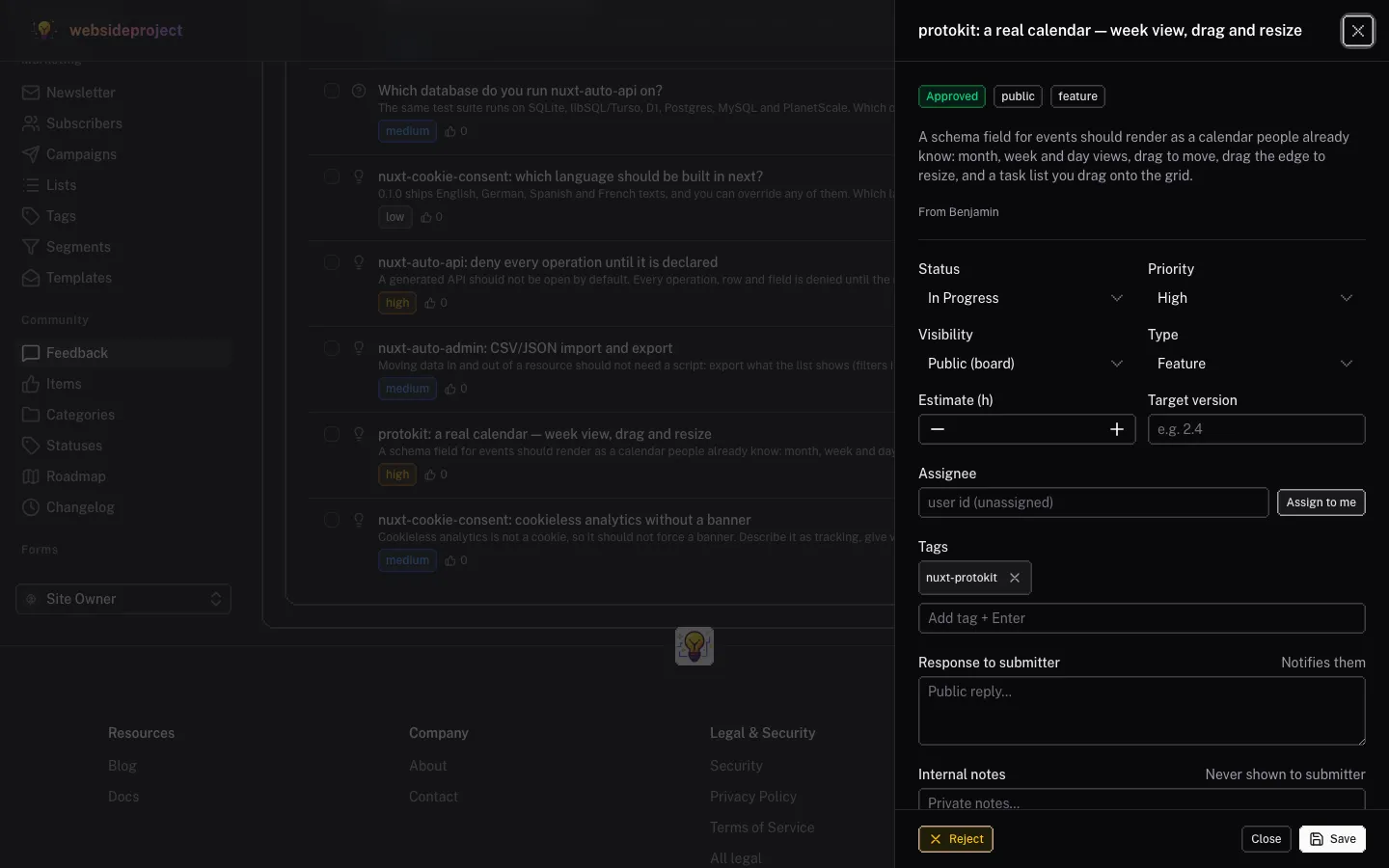
New posts, bug reports and questions land in one inbox. Open one to triage it in place:
- Approve or reject public posts before they reach the board (with an optional reason for the submitter).
- Set status, priority, type and visibility — public board, private support ticket, or internal to the team.
- Reply to the submitter and keep internal notes that are never shown to them. The submitter is notified when you reply or change the status.
- Tag, assign and estimate the work.
- Link it to the roadmap — pick an existing roadmap item, or create one from the post in one click.
- Merge duplicates into the original post, and act on many posts at once with bulk approve, reject, status, priority, tag, assign or trash.
Comments have their own moderation queue (pending, approved, flagged).
Roadmap
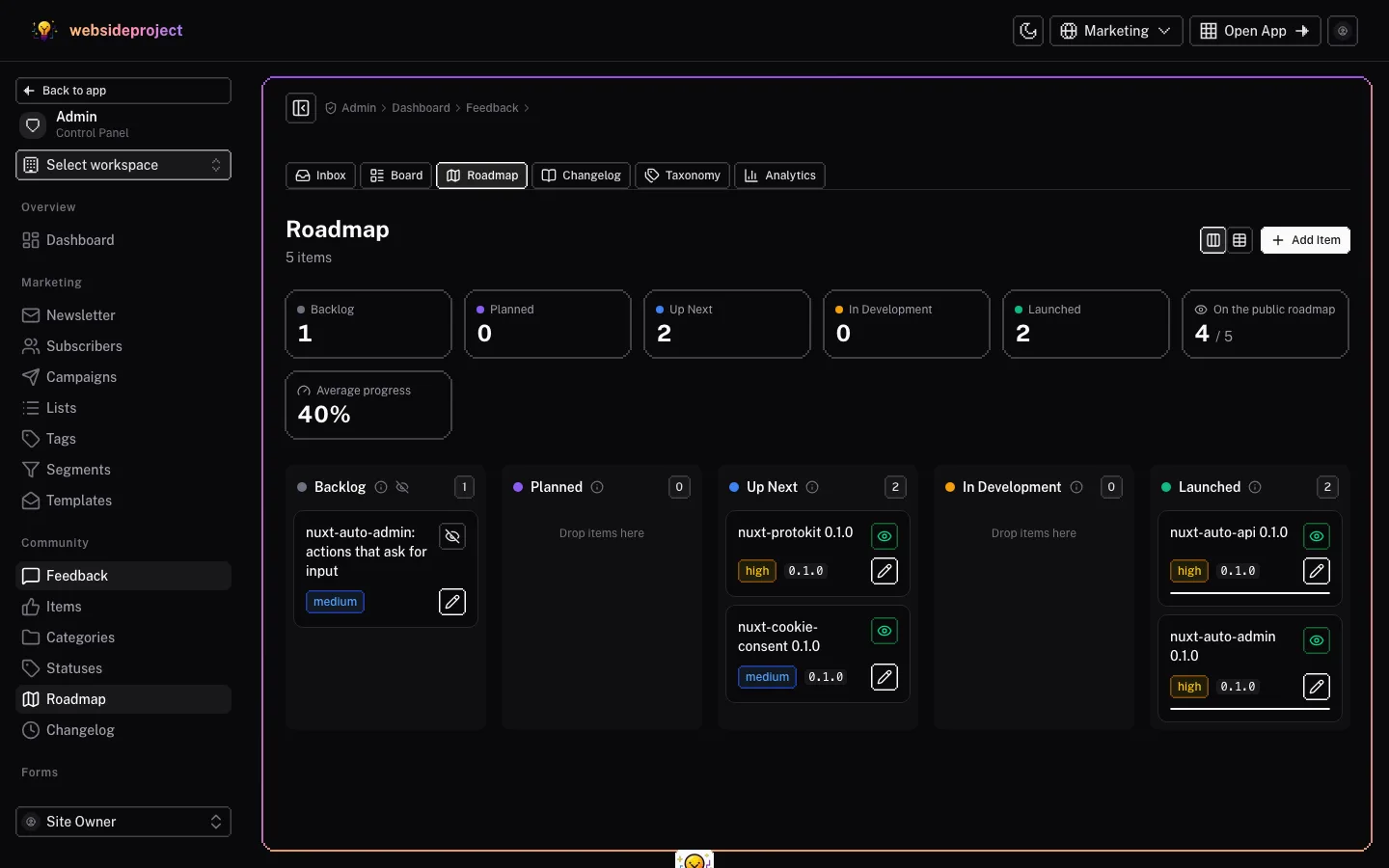
- A board by status — drag an item to another column to move it on; a table view is one click away.
- Stats at a glance — items per status, how many are on the public roadmap, and the average progress.
- Rich items — target version and quarter, start and end dates, progress, tags and a milestones checklist that visitors see.
- Publish when ready — an item stays internal until you make it public.
- Linked work — choose the changelog entries that delivered an item; the feedback linked to it is listed alongside.
- Status at a glance — hover the ⓘ next to a lane to read what the status means before you move an item into it; an eye-off icon marks a status hidden from the public roadmap.
Roadmap Statuses
Roadmap statuses (and feedback statuses) are yours to name, color, order and hide under Taxonomy → Statuses. Five come built in:
| Status | Public | Means |
|---|---|---|
| Backlog | Hidden | Drafts and undecided ideas. |
| Planned | Yes | We will build it — no date yet, so not soon. |
| Up Next | Yes | Next in line — coming soon. |
| In Development | Yes | Currently being built. |
| Launched | Yes | Recently released. |
- Hidden or public — the public roadmap shows every public status as a column, empty ones included; a hidden status keeps its items off it. A new roadmap status starts hidden, so it never shows up half-configured — tick Visible on the public roadmap when it is ready.
- The description is the ⓘ — whatever you write there is what visitors and admins read when they hover the ⓘ next to the status.
Changelog
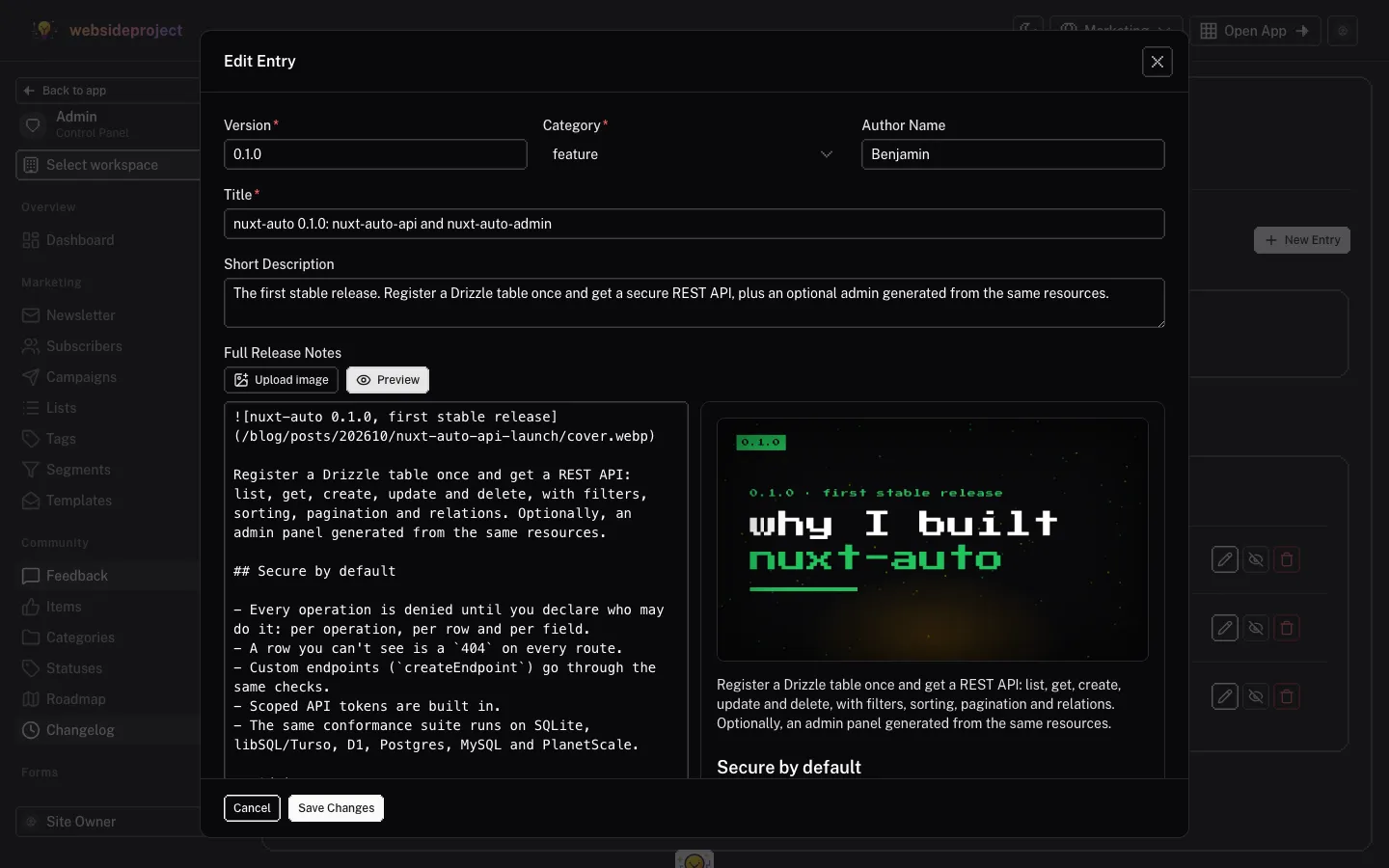
- Markdown release notes with an Upload image button that drops the image straight into the text, and a live preview that renders exactly like the public page. A YouTube or Vimeo link on a line of its own becomes a video in the notes.
- Gallery — images and videos (upload a file, or paste a YouTube — Shorts too — or Vimeo link) shown under the notes; visitors open them full size. Videos play in the providers' privacy modes (youtube-nocookie.com, Vimeo do-not-track), so they set no cookies until played.
- Link cards to docs, a blog post or the release on GitHub.
- Tags and a category (feature, improvement, bug fix, security, breaking).
- Shipped feedback — pick the posts this release delivered. They show "Shipped in" on their page, and you can notify everyone who upvoted them when you publish.
- Draft, publish, or announce — save a draft, publish now, or publish with a future release date to show it as "Coming soon" until that day.
Analytics
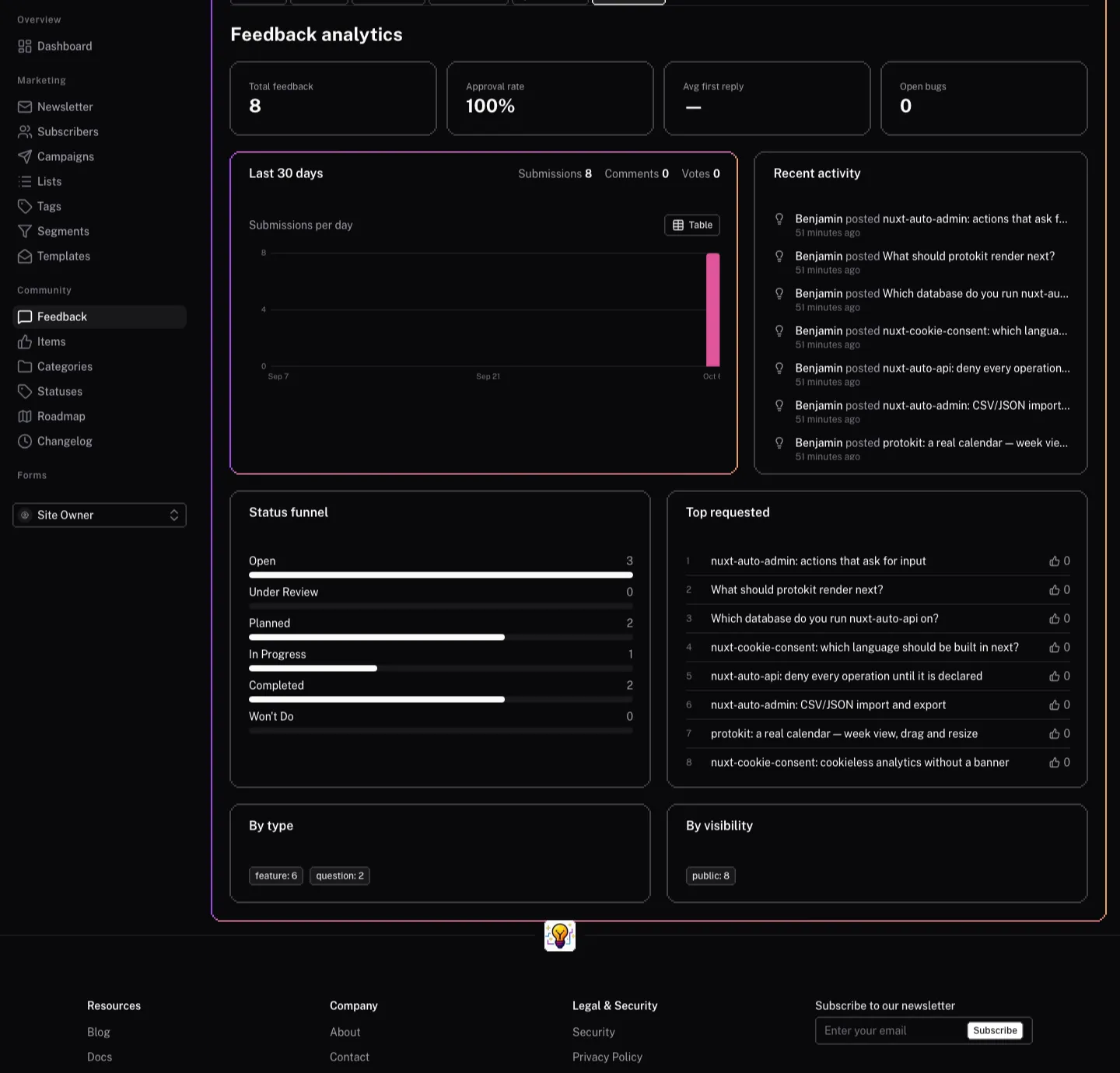
- Totals — feedback, approval rate, average time to first reply, open bugs.
- Last 30 days — submissions per day, with that day's comments and votes on hover, and a table view.
- Recent activity — the newest posts and comments, linking straight to each post.
- Status funnel, most requested posts, and the split by type and visibility.
Details
Our Feedback Platform is more than just a suggestion box. It's a deeply integrated system that connects user feedback directly to your product's lifecycle, from idea to delivery.
Technical
How the Feedback Platform is built — the modules, data model, links between feedback, roadmap and changelog, endpoints and notifications — for developers working on it after deployment.