
Email Admin Features
The email module includes a comprehensive set of admin features to manage your email templates, view logs, and monitor analytics.
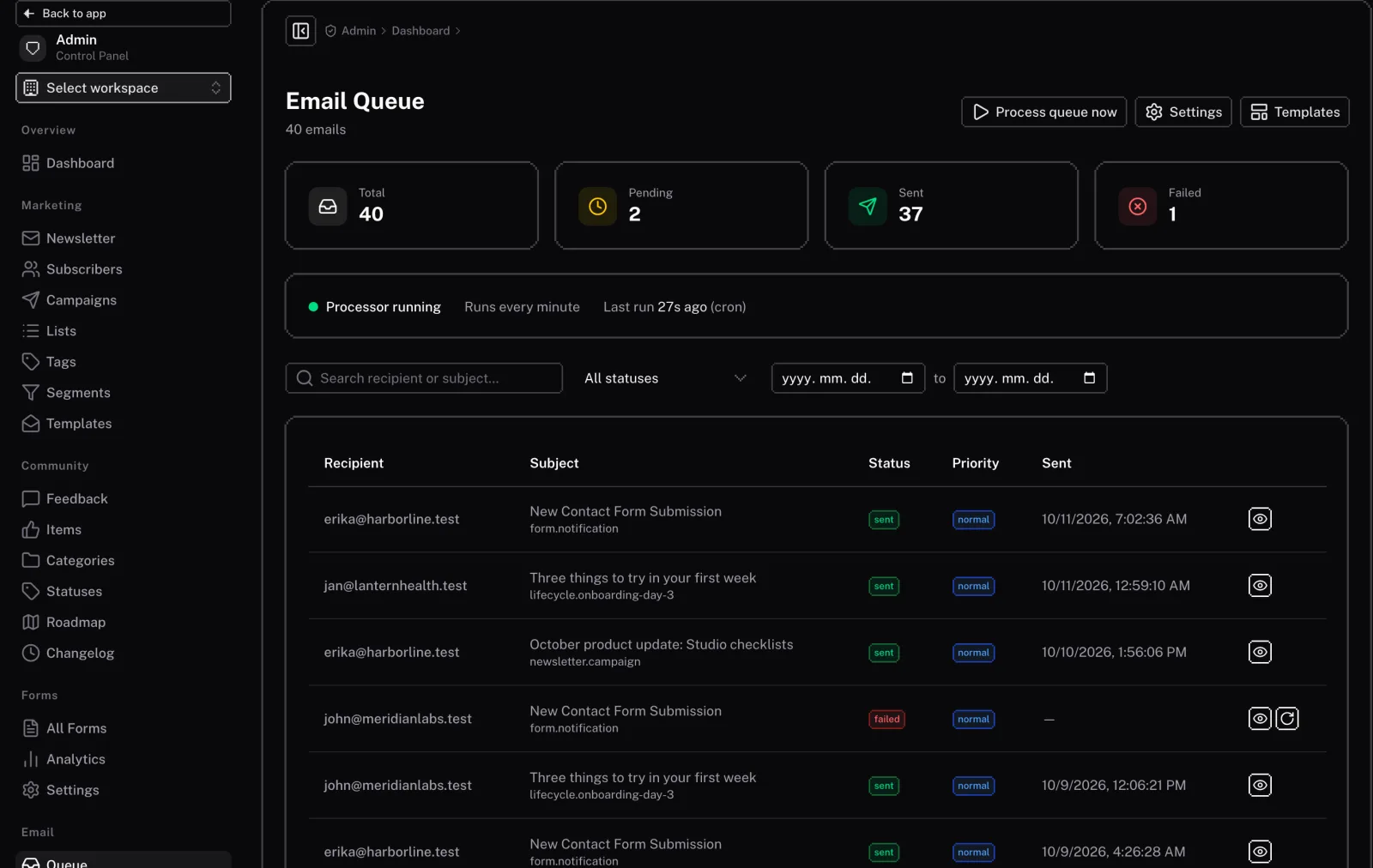
Email Templates
The admin panel includes an interface for managing your email templates. You can:
- View all templates: See a list of all your email templates.
- Preview templates: Preview how your email templates will look with sample data.
- Send test emails: Send test emails to ensure your templates are working correctly.
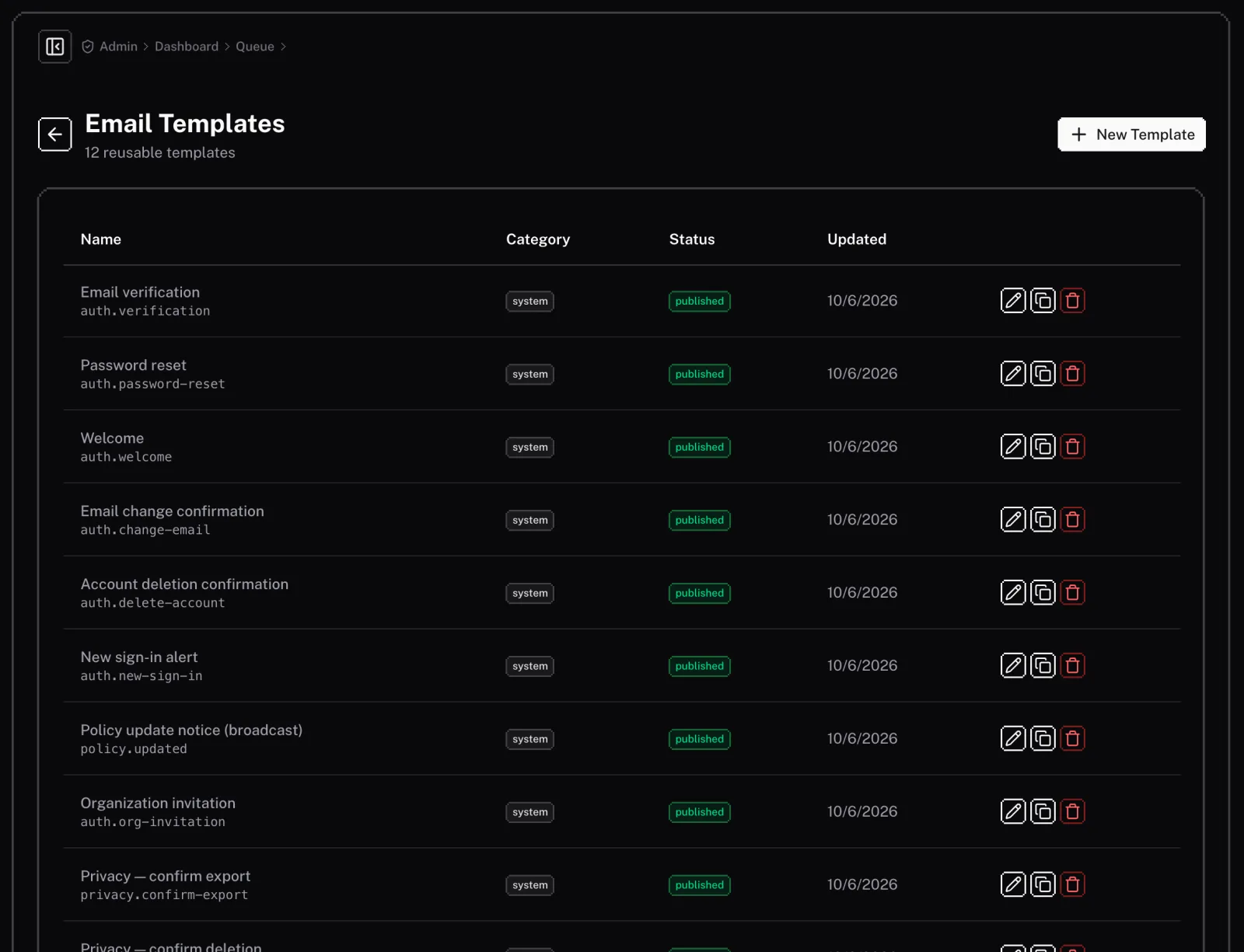
Email Logs
The email logs section allows you to view a history of all the emails sent from your application. You can:
- Search and filter logs: Find specific emails based on the recipient, subject, or date.
- View email details: See the full content of an email, as well as its status (sent, delivered, opened, etc.).
- Retry sending failed emails: If an email fails to send, you can retry sending it from the logs.
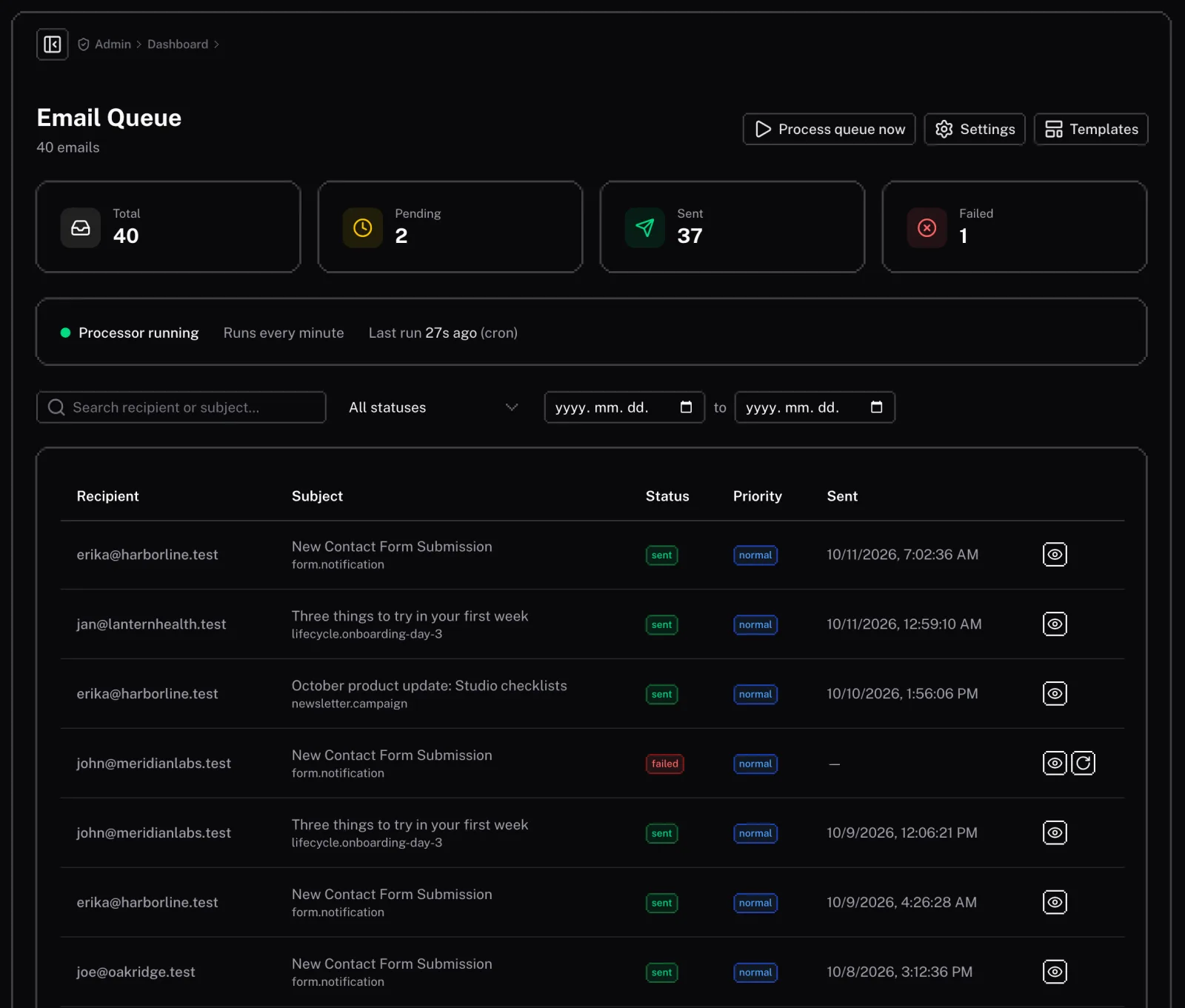
Analytics
The analytics section provides insights into the performance of your emails. You can view:
- Open rates: The percentage of users who opened your emails.
- Click rates: The percentage of users who clicked on a link in your emails.
- Delivery rates: The percentage of emails that were successfully delivered.
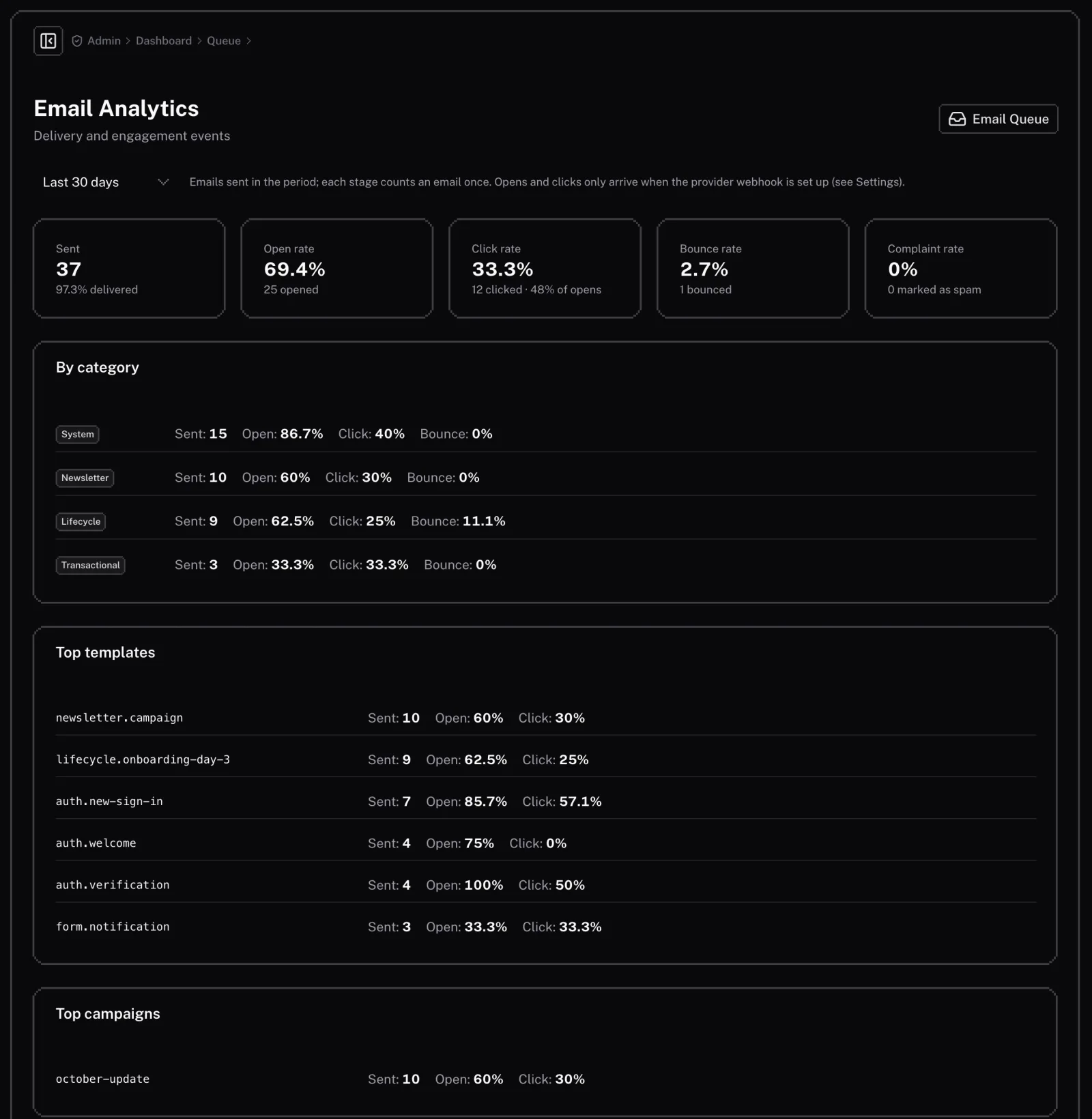
Queue Status
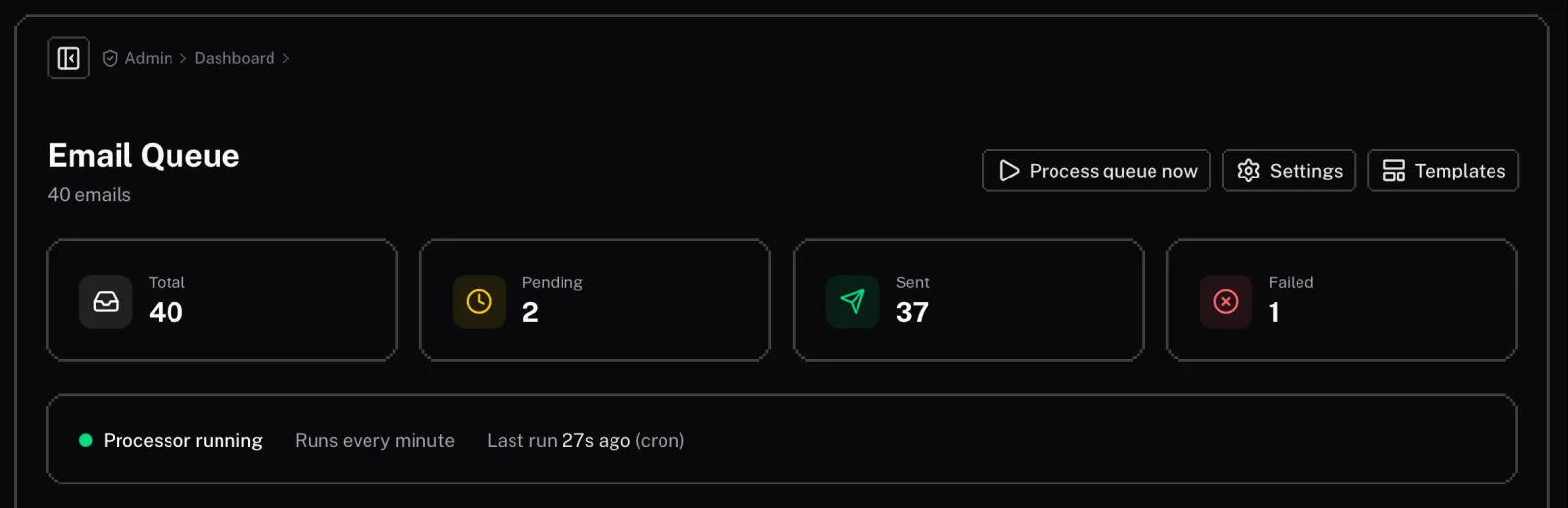
The queue status page allows you to monitor the status of the email queue. You can see:
- The number of emails in the queue: See how many emails are waiting to be sent.
- The status of the queue processor: See if the queue processor is running and when it last ran.
- Manually trigger the queue processor: You can manually trigger the queue processor to send the emails in the queue.
Settings
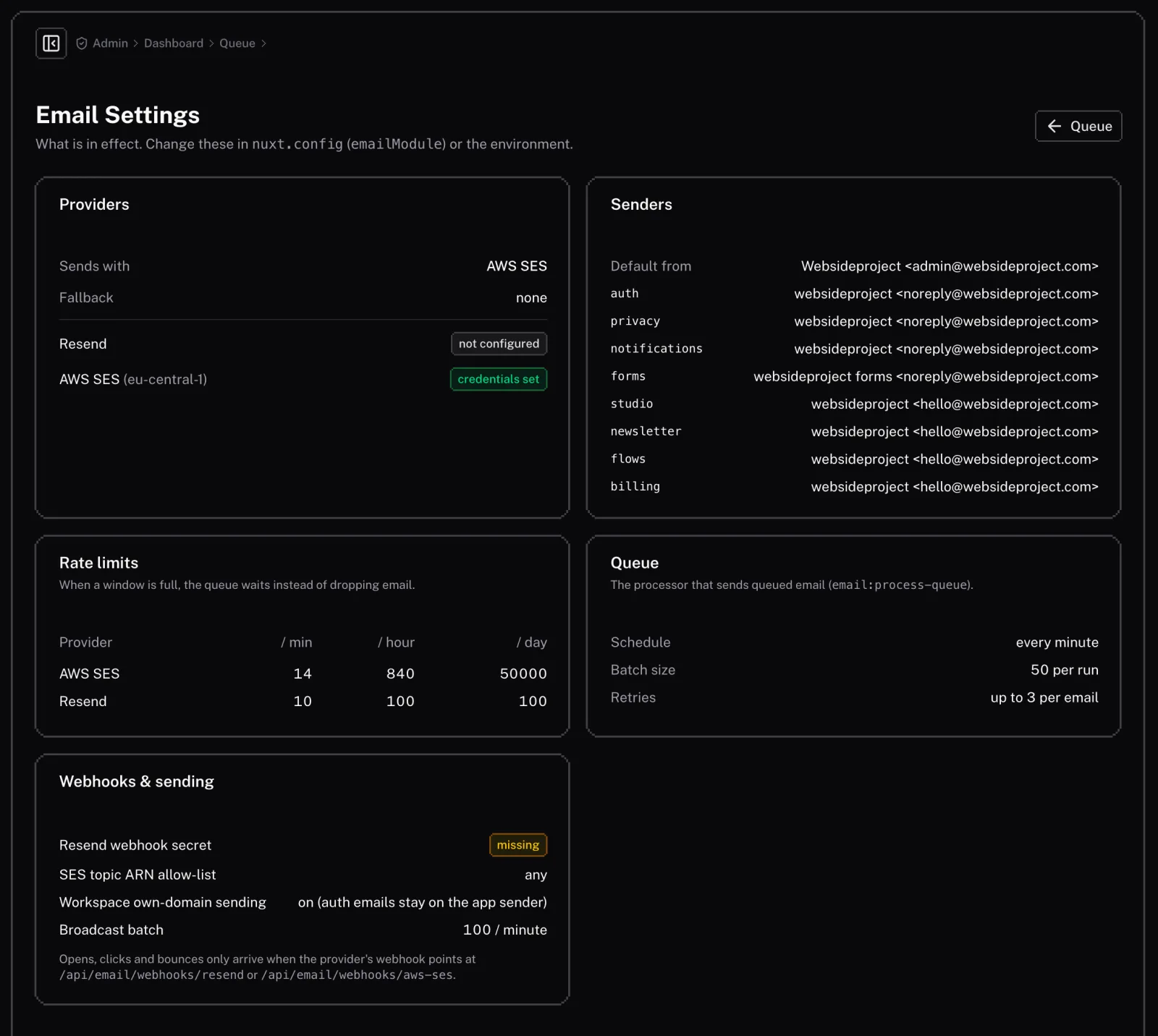
The settings page shows the email configuration in effect (it is set in nuxt.config and the environment):
- Email providers: Which provider sends, the fallback, and whether AWS SES and Resend credentials are set.
- The queue: Batch size, schedule, and how many times a failed email is retried.
- Rate limiting: The per-minute, hour and day limits for each provider.
Details
Our Email feature gives you the tools you need to communicate effectively with your users.
Technical
This document provides technical details about the Email feature, primarily for developers or for advanced configuration after deployment.