
Usage
Usage
Everything is exposed through the injected $consent object and a set of auto-imported composables.
Conditional script loading
Each category exposes a Nuxt Scripts consent trigger named after its key. Pass it straight to useScript:
<script setup lang="ts">
const { $consent } = useNuxtApp()

useScript('https://www.googletagmanager.com/gtag/js?id=G-XXXX', {
  trigger: $consent.triggers.analytics,
})
</script>
The script is only fetched once the user grants consent for that category.
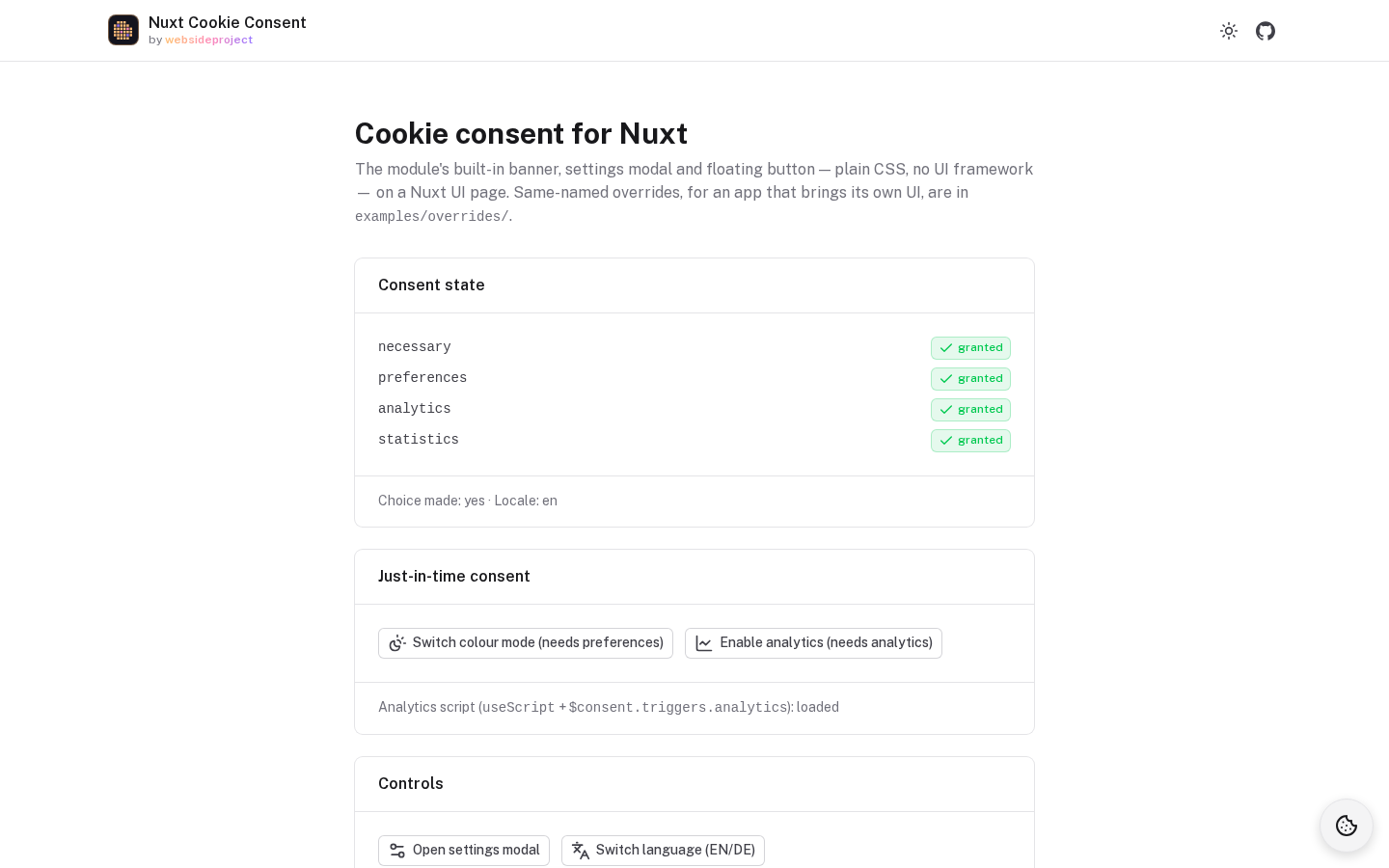
Preferences without a banner (theme, language)
A preference such as the colour mode or the language does not need a banner on the first visit. Nothing is stored until the visitor uses the feature; when they do, the settings modal opens and asks for that one category, and the cookie is written only if they say yes:
- First visit — no cookie for the preference, and nothing about it on the banner. If every non-essential cookie works this way, there is no banner at all, only the floating settings button.
- The visitor switches the theme or the language —
useRequestConsent('preferences')opens the modal with the reason on top. - Yes — the cookie is written and remembered on the next visit. Every later switch goes through without asking.
- No — no cookie is written. The language still changes for this visit (switching needs no cookie, remembering it does); the next switch asks again.
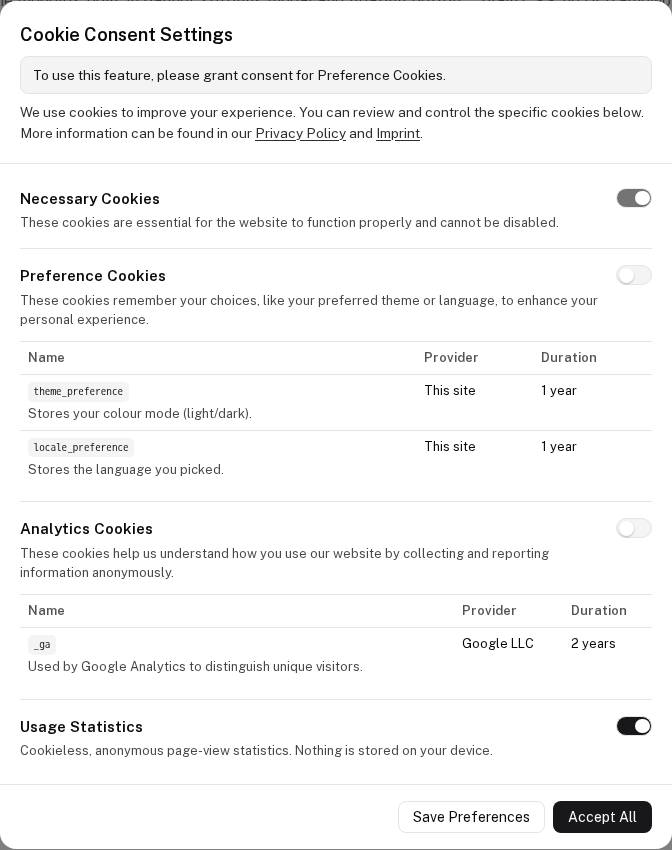
Declare each cookie in a category with requiresBanner: false, so it does not force the banner:
cookieConsent: {
  categories: {
    necessary: { readonly: true },
    preferences: {
      cookies: [
        { id: 'theme_preference', descriptionKey: 'cookies.preferences.theme.description', provider: 'This site', duration: '1 year', requiresBanner: false },
        { id: 'locale_preference', descriptionKey: 'cookies.preferences.locale.description', provider: 'This site', duration: '1 year', requiresBanner: false },
      ],
    },
  },
},
Language — keep it in useConsentCookie: before consent the value lives in
memory only, after consent it is written to the cookie.
<script setup lang="ts">
const { $consent } = useNuxtApp()
const locale = useConsentCookie<'en' | 'de'>('locale_preference', 'preferences', { default: () => 'en' })
watch(locale, value => $consent.setLocale(value ?? 'en'), { immediate: true })

async function switchLanguage(next: 'en' | 'de') {
  await useRequestConsent('preferences') // asks only while not granted
  locale.value = next                    // changes either way; stored only with consent
}
</script>
Colour mode — Nuxt's color mode (@nuxtjs/color-mode, included in Nuxt UI) can store the preference in that same
cookie. It writes its storage only when the preference changes, so change it only after consent:
colorMode: { storage: 'cookie', storageKey: 'theme_preference' },
const colorMode = useColorMode()

async function toggleColorMode() {
  if (!(await useRequestConsent('preferences'))) return // declined: no change, no cookie
  colorMode.preference = colorMode.value === 'dark' ? 'light' : 'dark'
}
The playground (apps/playground) does exactly this for its colour-mode button and its language switch.
Dynamic language switching
<script setup lang="ts">
const { $consent } = useNuxtApp()
const route = useRoute()

watch(() => route.path, (path) => {
  $consent.setLocale(path.startsWith('/de') ? 'de' : 'en')
}, { immediate: true })
</script>
The $consent object
| Member | Description |
|---|---|
state | Ref of { [category]: boolean } — the current consent map. |
hasMadeChoice | Ref<boolean> — whether the user has completed a valid choice. |
isModalOpen | Ref<boolean> — open/close the settings modal. |
triggers | Record<category, Promise> — Nuxt Scripts consent triggers. |
currentLocale | Ref<string> — the active locale. |
setLocale(locale) | Change the active locale. |
setRequestContext(category | null) | Set the "just-in-time" context shown in the modal. |
updateState(map) | Commit a new consent map (always forces necessary: true). |
Reacting to consent just-in-time
See useRequestConsent to prompt the user at the moment a feature needs a category, and useConsentCookie for cookies that respect consent automatically.
Configuration
Categories, cookies, colors, links, and the intelligent banner.
Composables
useRequestConsent, useConsentCookie, useConsentText and the component composables.