
nuxt-protokit: rapid prototyping for Nuxt
The problem
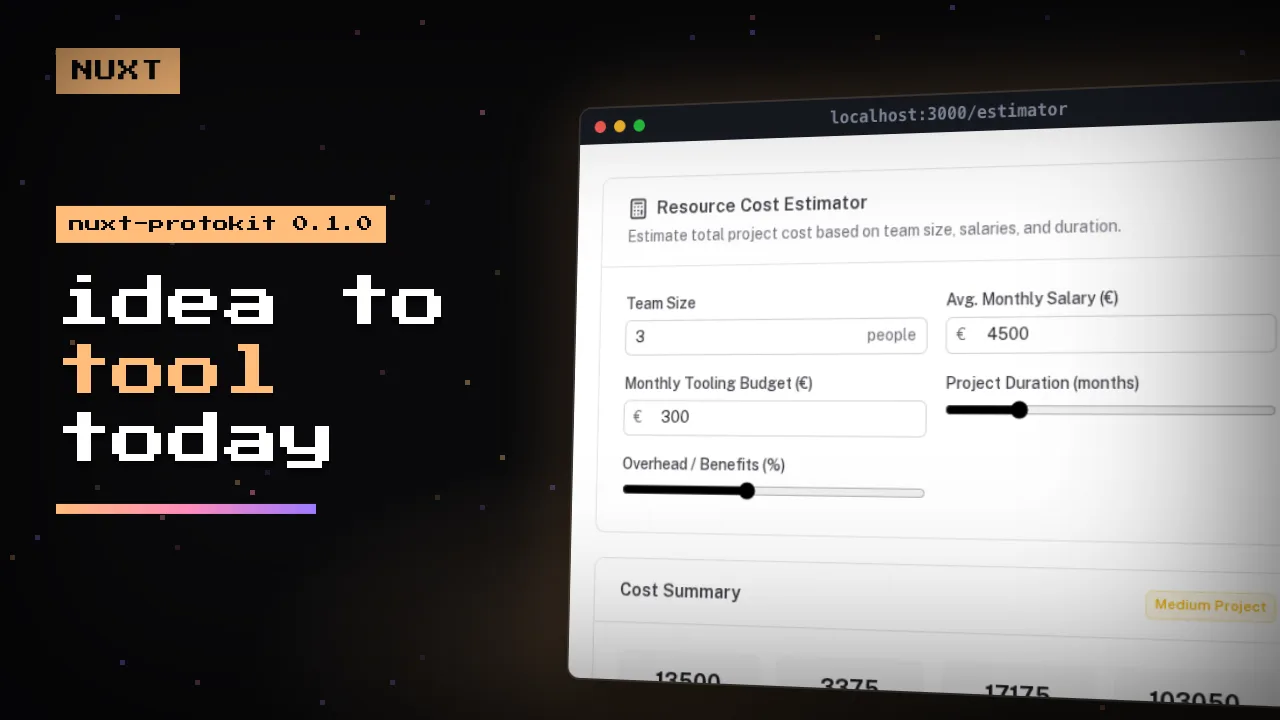
I often have ideas for small tools. A cost estimator, a tracker, an internal checklist. And the first day always went to the same stuff: a database, an API, forms. By the time it worked I wasn't even sure the idea was good anymore.
nuxt-protokit is for rapid prototyping and skips that part. You write the tool as a TypeScript schema, render it with one component, and it works. Data is saved in the browser while you type. 0.1.0 is out today.
The schema
import { formatMoney } from '#protokit/utils/formatters'

export const resourceEstimator = definePrototype({
  key: 'resource-estimator-v1', // also the IndexedDB key
  title: 'Resource Cost Estimator',
  shortTitle: 'Estimator',
  description: 'Estimate total project cost from team size, salaries and duration.',
  icon: 'i-lucide-calculator',

  fields: {
    teamSize: { type: 'number', label: 'Team Size', default: 3, trailing: 'people' },
    avgMonthlySalary: { type: 'number', label: 'Avg. Monthly Salary', default: 4500, leading: '$' },
    projectDurationMonths: { type: 'range', label: 'Duration (months)', min: 1, max: 24, step: 1, default: 6 },
  },

  derived: {
    monthlyCost: {
      compute: ({ fields }) => fields.teamSize * fields.avgMonthlySalary,
      format: 'money',
    },
    projectTotal: {
      compute: ({ fields, derived }) => derived.monthlyCost * fields.projectDurationMonths,
      format: 'money',
    },
  },

  results: [
    {
      title: 'Cost Summary',
      stats: ({ derived }) => [
        { label: 'Monthly', value: formatMoney(derived.monthlyCost) },
        { label: 'Project Total', value: formatMoney(derived.projectTotal) },
      ],
    },
  ],
})
The page
<script setup lang="ts">
import { resourceEstimator } from '~/schemas/resourceEstimator'
</script>

<template>
  <ClientOnly>
    <ProtoTool :schema="resourceEstimator" />
  </ClientOnly>
</template>
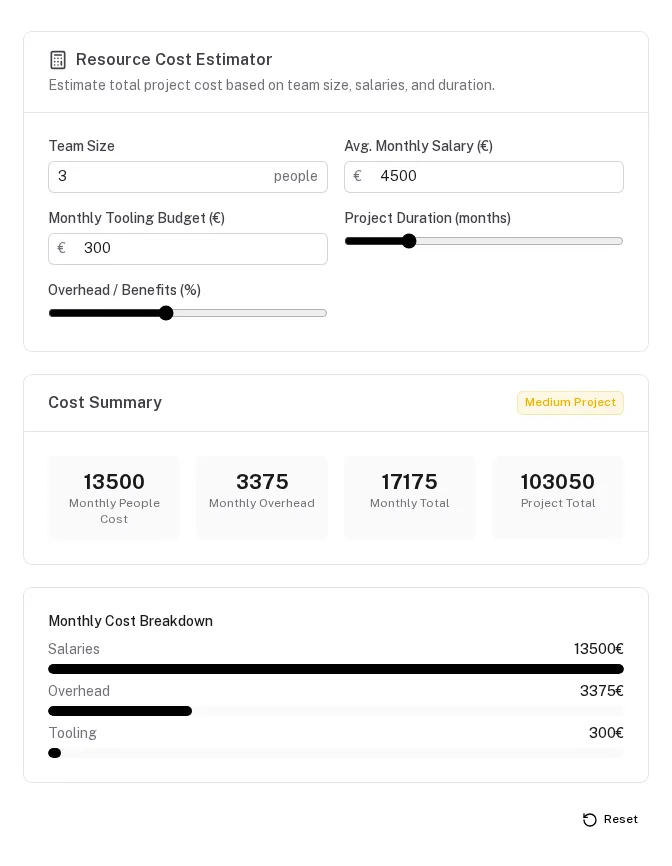
Move a slider, the totals update. Refresh, the values are still there because they load from IndexedDB. Open it in a second tab and both tabs stay in sync over BroadcastChannel. Works offline too.
How it stores data
Every tool is a Yjs document, saved with y-indexeddb. Writes go to the browser first. If you want sync between devices, you point it at your own backend. That's five endpoints, either from a companion module or written by you. With sync off, protokit doesn't make any HTTP calls:
export default defineNuxtConfig({
  modules: ['@nuxt/ui', '@websideproject/nuxt-protokit'],
  protokit: {
    serverSync: false, // local only
  },
})
Components
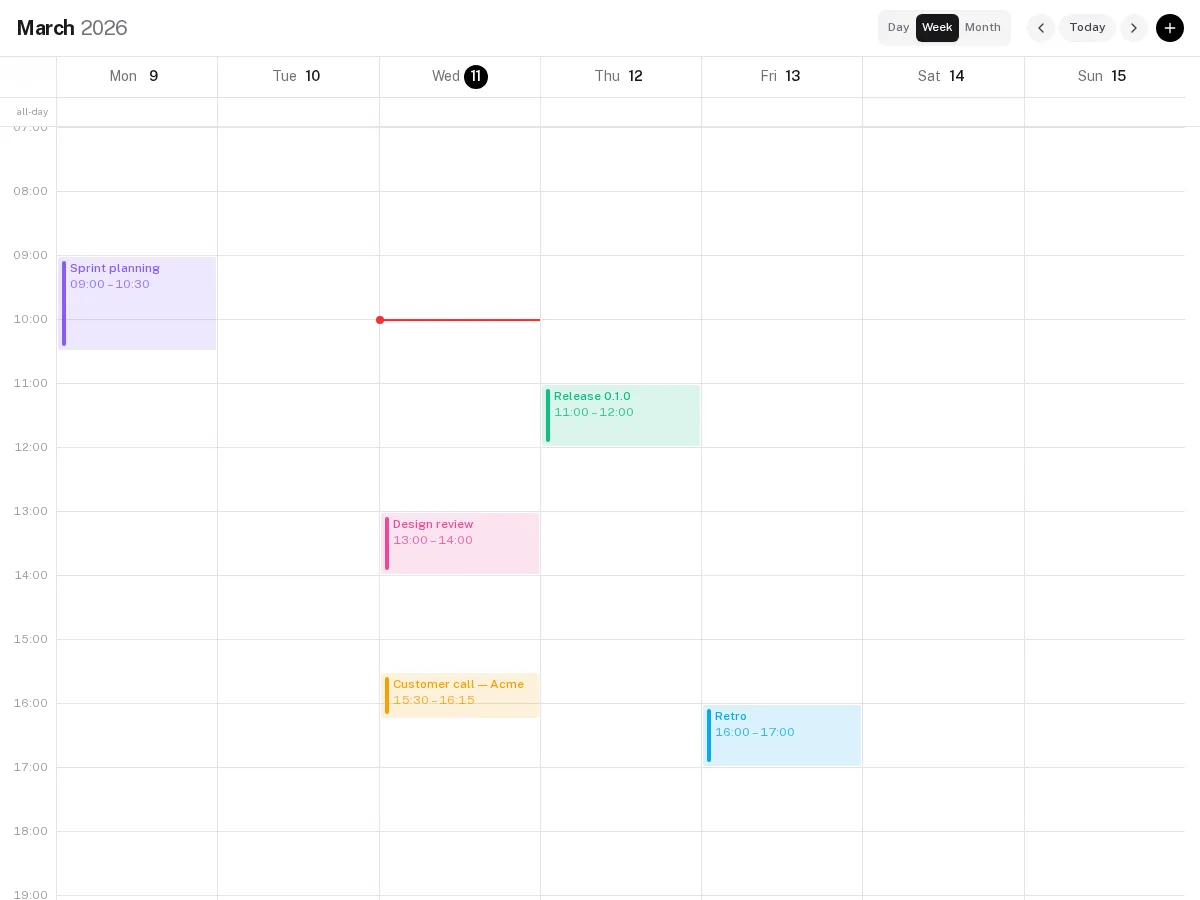
There are ready-made components that use the same schema: a calendar (day, week and a scrolling month view, and you can drag tasks from a list onto it), charts (line, bar, pie, funnel, progress), detail panels, CRUD lists with edit modals, stat cards, comparison tables and timelines. There are also twelve field types, schema migrations, AES-GCM encryption, corruption recovery and per-tenant namespaces. If you want your own UI, the composables work without the components.
Where I use it
Prototypes, internal tools, demos for clients. Basically when I want to find out if an idea works before spending time on a backend.
One thing to be clear about: the data is in the browser, so the permissions only change what the UI shows. They don't protect anything. Once an idea works and needs real users and server-side rules, it should get a proper backend. I use nuxt-auto for that. Until then it's a lot less setup than Firebase, and the data is plain Yjs, so you can take it with you.
Try it
npm install @websideproject/nuxt-protokit yjs y-indexeddb @nuxt/ui tailwindcss
Tailwind doesn't scan node_modules, so add this line to the CSS file that imports Nuxt UI (the path is relative to that file):
@import "tailwindcss";
@import "@nuxt/ui";

@source "../../../node_modules/@websideproject/nuxt-protokit";
The playground in the repo has 20 demos: estimators, calendars, charts, encryption, headless mode.
Next week I'll write about the local-first part in more detail: how a write is saved, what happens when two edits conflict, and what survives a crash. If you've used Yjs in production I'd really like your feedback.
nuxt-auto: a secure REST API from your Drizzle schema
nuxt-auto-api 0.1.0 is out. Register a Drizzle table and you get a REST API with filters, relations and permissions that deny by default. Less backend boilerplate in Nuxt, and why I built it.
Nuxt Content 404 issues? One config can fix it
Enabled prerendering for optimization. Pushed to production. Suddenly receive weird 404 error. One config line fixes it - autoSubfolderIndex
Stay in the loop
Get the latest articles and updates delivered straight to your inbox.